The Best VPNs for Mac
The Short Answer
There is no better VPN for Mac than ExpressVPN right now. Its intuitive and user-friendly macOS app instantly changed our IP address, fully encrypted our internet connection, and bypassed most geo-restrictions around the globe. NordVPN is a great alternative with exceptional speeds, while Proton VPN is a 100% free no-logs VPN with unlimited bandwidth, ideal for hiding your IP address but not for streaming or torrenting.
We’ve tested each VPN on a range of iMacs and MacBooks, with Tahoe and Sequoia as well as Apple Silicon and Intel chips installed. All of this to ensure our chosen VPNs work properly on all types of Macs.
VPN Comparison Table
The table below compares our top-rated Windows VPNs based on download speed, server locations, cheapest price, and more.
 |
 |
 |
 |
 |
|
|---|---|---|---|---|---|
| Review Summary | ExpressVPN summary | NordVPN summary | Surfshark summary | Proton VPN Free summary | Windscribe Free summary |
| Overall Mac Rating | |||||
| Mac App | 9.5 | 9.2 | 9.0 | 9.2 | 8.0 |
| Privacy | 9.2 | 8.8 | 8.7 | 9.5 | 8.9 |
| Security | 9.0 | 9.1 | 8.5 | 9.8 | 7.2 |
| Speed | 9.7 | 9.7 | 9.1 | 9.4 | 8.8 |
| Streaming | 9.8 | 9.4 | 9.2 | 0.0 | 5.7 |
| Torrenting | 9.3 | 9.0 | 8.6 | 0.0 | 7.4 |
| Data Cap | Unlimited | Unlimited | Unlimited | Unlimited | 10GB/month |
| Cheapest Price | $2.79/mo over 28 months | $3.39/mo over 24 months | $1.99/mo over 27 months | Free | Free |
| Official Website | expressvpn.com | nordvpn.com | surfshark.com | protonvpn.com | windscribe.com |
The Best VPNs for Mac Reviewed
1. ExpressVPN: Best VPN for Mac

Overall Windows Rating: 9.5/10
Pros
 The best-designed & user-friendly macOS VPN app
Very fast internet speeds around the world
Unblocks 18 Netflix regions, Disney+, Prime Video & many more
AES-256 & ChaCha20 encryption plus diskless servers
Excellent compatibility with all Apple devices
7-day free trial via mobile & 30-day refund guarantee
Cons
 More expensive than Surfshark
Fewer extra features than NordVPN & Surfshark
| Pricing Plans |
$12.99/mo $3.99/mo over 15 months $2.79/mo over 28 months |
|---|---|
| macOS Compatibility | Yosemite & later |
| Mac App Store | Yes |
| Local Download Speed | 98Mbps (2% loss) |
| Countries with Servers | 109 |
| Servers | 13,360 |
| Logging Policy | No Identifiable Data |
| Simultaneous Connections | 10 |
| Support | 24/7 Live Chat |
| Compatible with |          |
While many review websites rank NordVPN as the best VPN for Mac, we wholeheartedly disagree. ExpressVPN is clearly better, thanks to a more intuitive macOS app that unblocks a greater quantity of geo-blocked content.
Sure, NordVPN or Surfshark offer more additional features, but ExpressVPN’s core VPN security and privacy settings are simply phenomenal, and absolutely fine for most people.
Moreover, the newly-released macOS app has introduced new features that have elevated the service even further. Once you start using it, you won’t be disappointed.
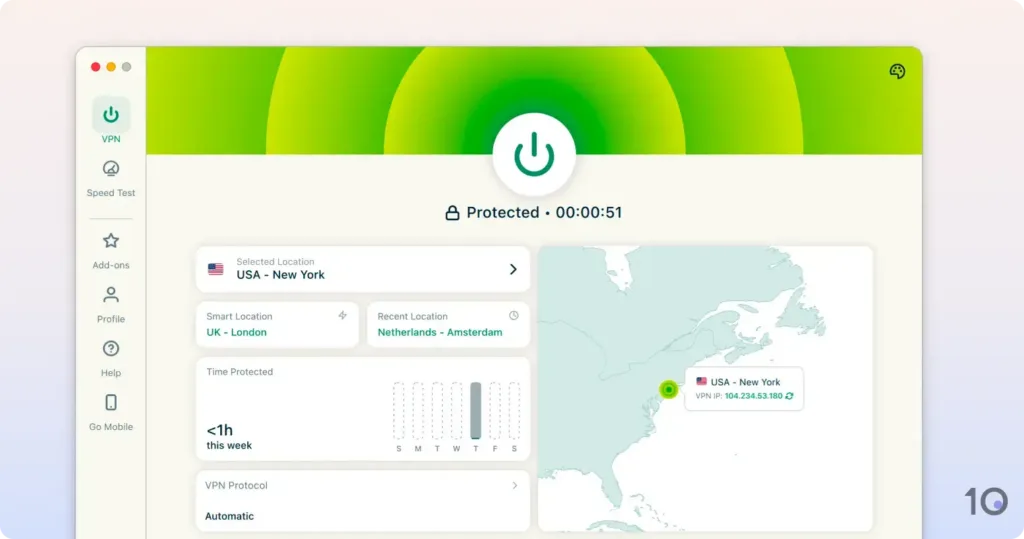
ExpressVPN’s macOS client is the most intuitive and user-friendly we’ve used, and that’s been the case for many years.
While the service has (sadly) moved away from its compact design that took up little screen space, the current larger home screen is still designed to connect you to a VPN server as quickly as possible.
There are fewer distractions compared to NordVPN and Surfshark, with a big connect button at the top of the screen that you simply can’t miss.
You can quickly find your desired server location by clicking the chevron on the ‘Selected Location’ button, which opens up the server list.
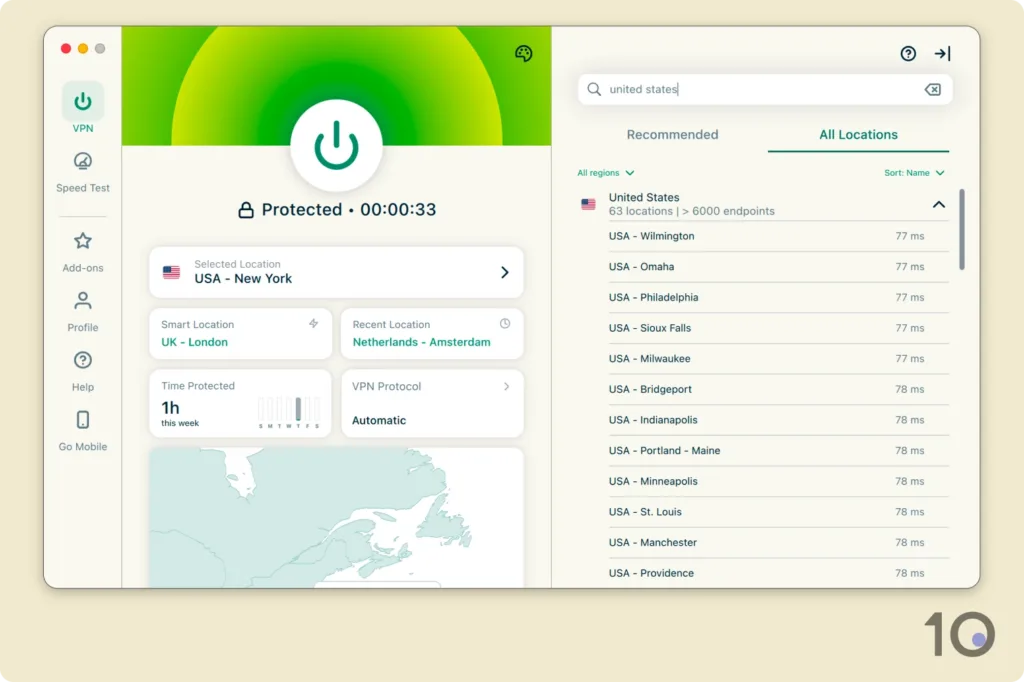
What’s remarkable is how quickly the app connects to a server. It takes literally one or two seconds, even connecting to distant server locations!
Moreover, the VPN’s geolocation accuracy has improved massively, meaning you’ll mostly get the actual IP location you wanted, unlike what happens with many other VPNs.
Surprisingly, ExpressVPN has decided to follow in NordVPN’s footsteps and launch a separate app for the Mac App Store.
It works very similarly, although it lacks important settings such as an advanced kill switch and auto-connect on unsecured WiFi networks.
Just like we say in our NordVPN review below, stick with the standalone .dmg application.
When it comes to picking a VPN for streaming, ExpressVPN is unrivaled, even on Mac.
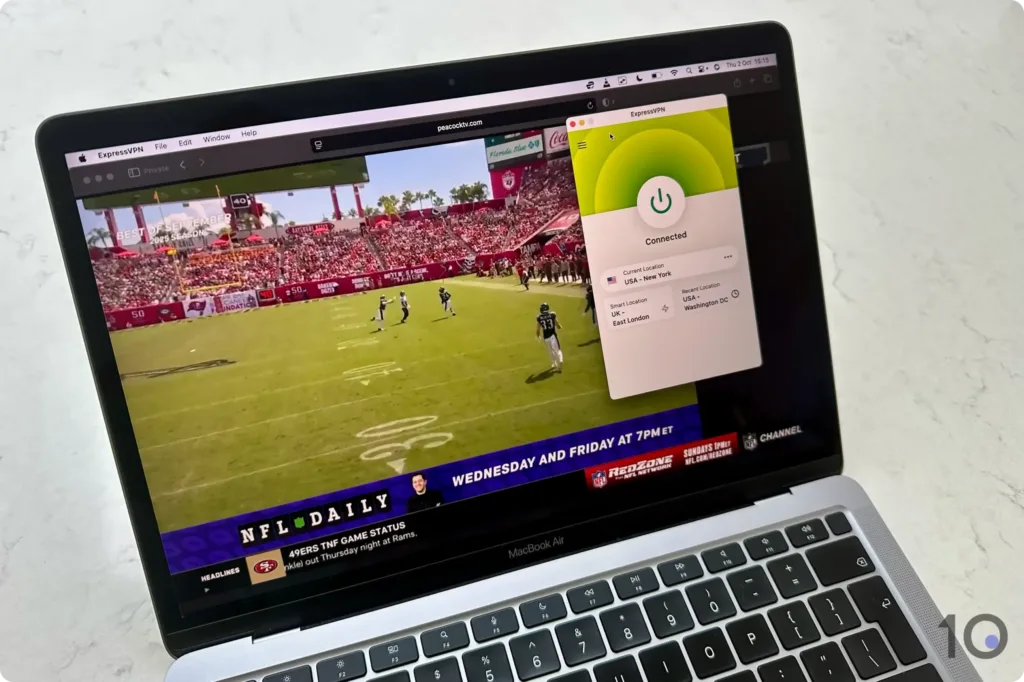
Almost every server we used unblocked the desired geo-restricted website. This makes it so much easier to stream quickly, rather than having to hunt down a server that works, which can take minutes with some VPNs.
Its 6,250 US VPN servers, spread across 50 states, performed especially well for watching out-of-market NFL games and beating other sport blackouts.
What’s more, this superior level of unblocking is paired with quick and consistent long-distance internet speeds.
With a slowdown of just 2% on nearby connections, and 15% connecting to locations around the world, ExpressVPN has always been able to stream at the highest resolutions available without interruptions.
It’s ability to bypass content restrictions is exceptional, particularly those of major streaming services like Netflix (18 regions), Prime Video, Disney+, HBO Max, Hulu, and BBC iPlayer.
Despite its simplicity, ExpressVPN’s software is one of the most reliable to keep your internet activity private and secure.
By default, ExpressVPN encrypts internet traffic using AES-256 or ChaCha20 keys, and wolfSSL through a UDP Lightway connection.
All traffic runs through diskless (RAM-only) servers that never write data to disk, although ExpressVPN doesn’t your log internet activity anyway.
We also love the VPN’s built-in ShuffleIP technology, which alters your IP address every time you visit a website or open an app, without changing your location.
And its kill switch, called Network Lock, will stop your IP address from being exposed during VPN connection failures (which almost never happen with ExpressVPN).
The latest software upgrade also includes post-quantum protection, which uses new algorithms to prevent your data transfers from being decrypted in the future.
You could argue that ExpressVPN should go one step further and add double VPN (multi-hop) servers to its arsenal of features, like NordVPN and Surfshark, but in all honesty most VPN users don’t need them.
ExpressVPN’s usability and performance have been remarkable ever since we started testing it in 2016.
Its plug-and-play approach, combined with phenomenal all-round test results, clearly separate it from the pack.
That said, there’s no escaping the fact that it is slightly more expensive than other highly-rated VPNs for new customers.
In comparison, Surfshark offers a multi-year subscription at a much cheaper price, but ExpressVPN outperforms its rival in most areas, which in our opinion justifies the higher cost.
We suggest getting an ExpressVPN 7-day free trial first, through either the App or Play Stores, and using your free account details to take the macOS app for a test drive.
This way you can be extra sure that ExpressVPN is the right VPN for you, before you fully commit to a subscription plan.
2. NordVPN: Fastest VPN for Mac

Overall Windows Rating: 9.3/10
Pros
Covers the highest number of countries
Exceptional speeds connecting to distant servers
Works with 17 Netflix libraries, HBO Max, BBC iPlayer & more
RAM-only servers that don’t collect identifying logs
Many extra features like multi-hop servers & Threat Protection
The widest range of dedicated IP locations
Cons
Feature-overloaded home screen
Pause function is frustrating & largely pointless
Retains connection timestamps for 15 minutes
Renews at a much higher subscription price
Minor server breach in 2018
| Pricing Plans |
$12.99/mo $4.99/mo over 12 months $3.39/mo over 24 months |
|---|---|
| macOS Compatibility | Yosemite & later |
| Mac App Store | Yes |
| Local Download Speed | 96Mbps (4% loss) |
| Countries with Servers | 127 |
| Servers | 8,100 |
| Logging Policy | No Identifiable Data |
| Simultaneous Connections | 10 |
| Support | 24/7 Live Chat |
| Compatible with | |
Choosing between NordVPN and ExpressVPN is like splitting hairs, but in the end NordVPN fell short of earning top spot.
Don’t be mistaken, though. The VPN is still a great option thanks to its extremely fast NordLynx protocol, its advanced security features, and its strong geo-unblocking results.
That being said, NordVPN’s macOS client isn’t as well-designed as ExpressVPN’s, with questionable UX decisions that affect its usability.
In terms of security, NordVPN narrowly pips ExpressVPN to the post.
The app’s security highlights include ChaCha20 encryption, diskless servers, a fully-working kill switch, and multi-hop servers that encrypt traffic twice by routing it via two VPN servers rather than one.
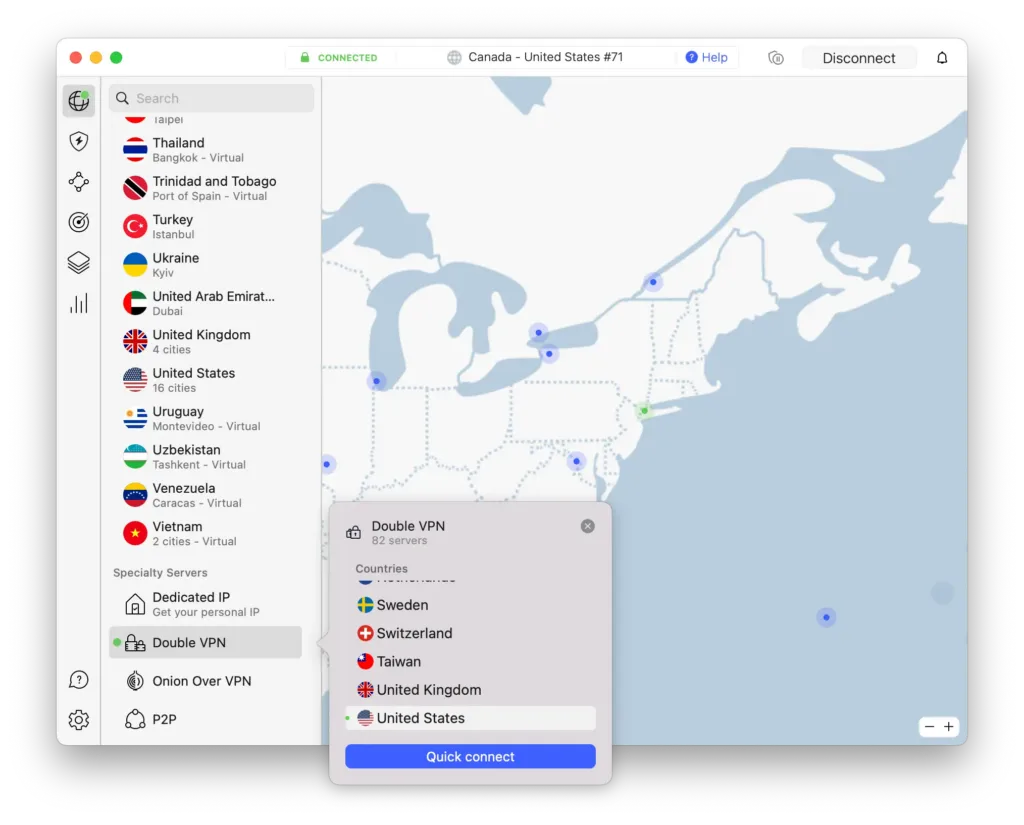
There are two types of kill switch available: an ‘internet’ kill switch one that cuts your system’s internet if the VPN connections drops, and an ‘app’ kill switch to apply the function to specific apps only.
We recommend enabling the system-wide internet kill switch for more complete protection, especially if you’re using the VPN to torrent files. This can interfere with your split tunneling exclusions, though.
Just like ExpressVPN, NordVPN also offers post-quantum protection, but it doesn’t offer an in-session rotating IP solution, yet.
Threat Protection is also worth mentioning, NordVPN’s ad and tracker blocker that blocked over 90% of ads and analytic trackers in our tests.
On the streaming front, NordVPN performed once again very well and is one of our recommended VPNs for getting around content geo-blocks.
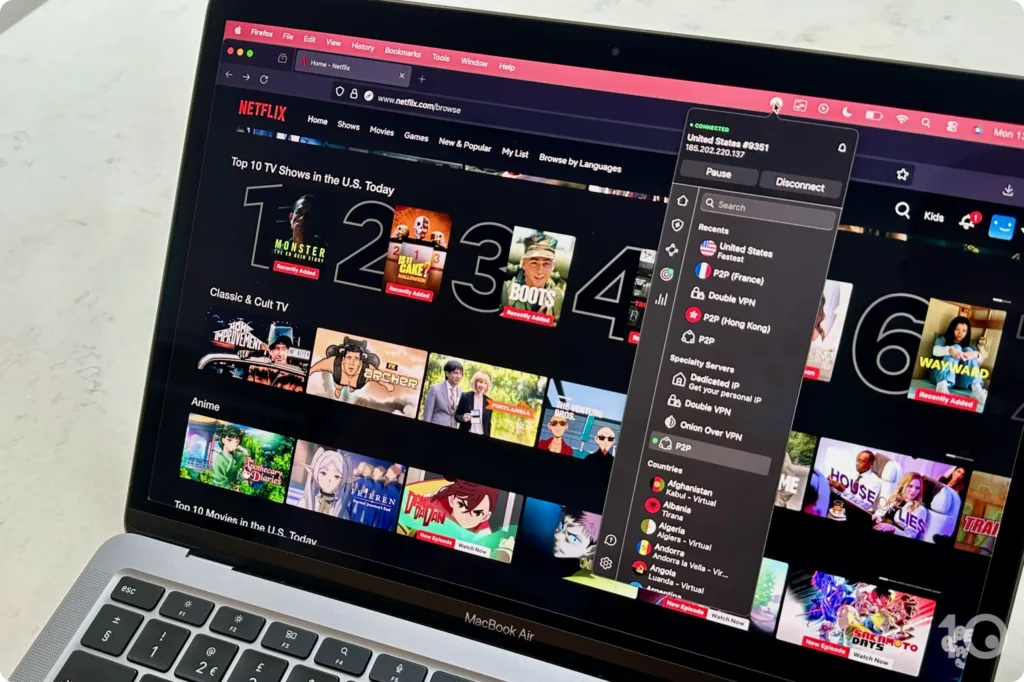
While ExpressVPN works with several more content platforms around the world, NordVPN did deliver better results for specific ones in certain countries.
For instance, NordVPN is a slightly better VPN for Canada than ExpressVPN, bypassing Fubo TV’s tough VPN blocks more consistently.
On the flip side, NordVPN couldn’t access other popular geo-restricted streaming services, like Hotstar in India, NFL+ in the US, and several DAZN regions.
A key difference between NordVPN and ExpressVPN revolves around device compatibility. If you want to stream on devices that don’t support direct VPN installation, then ExpressVPN has to be your choice.
That’s because, unlike expressVPN, NordVPN hasn’t developed a VPN router app, which makes it much harder to use on devices like Roku, PlayStation and Xbox.
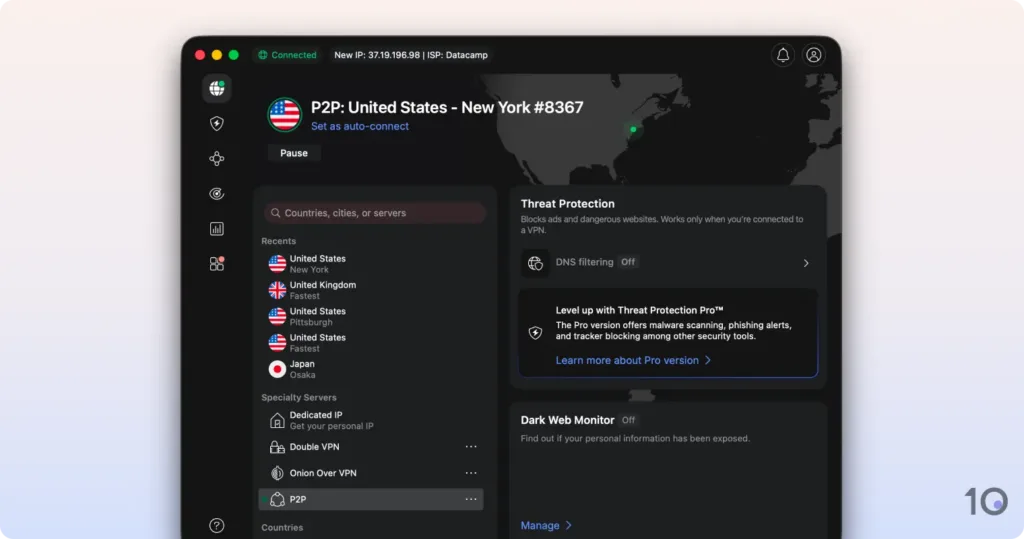
Our main gripe with NordVPN’s Mac app is that the home screen presents too many options and features, including a map, Threat Protection Pro, and Dark Web Monitor.
While these are useful features to some, they certainly aren’t core and distract from the main purpose of the product.
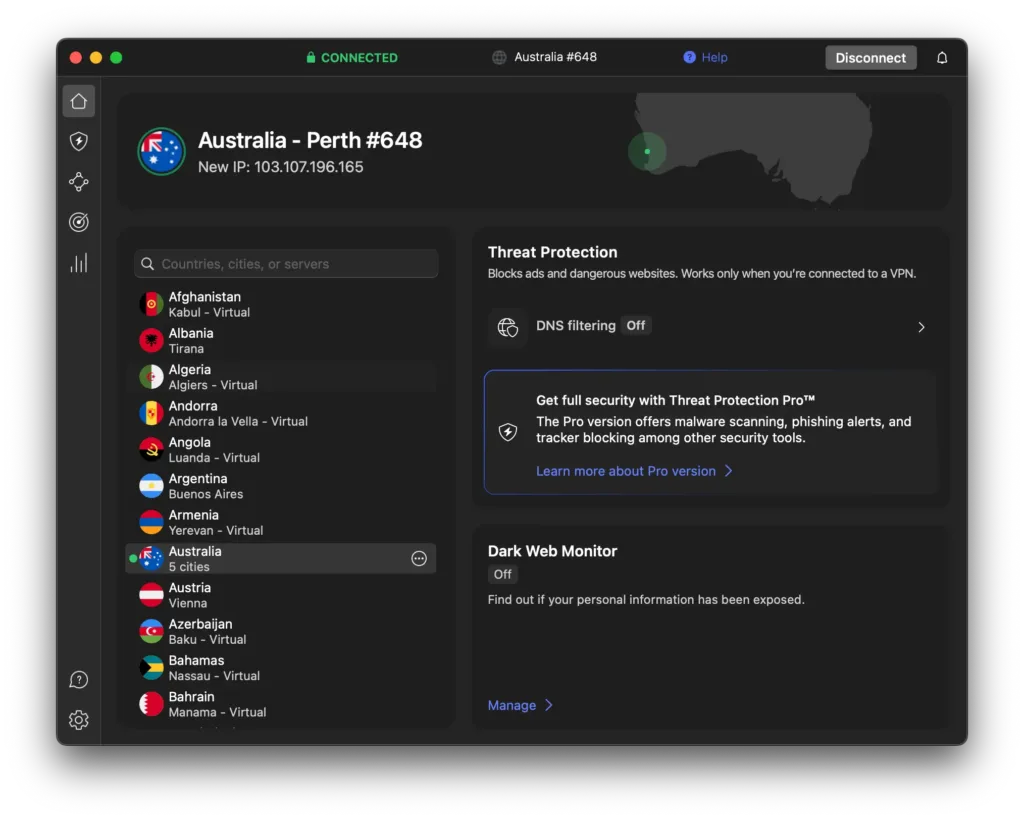
We also dislike how some settings, like Meshnet or P2P specialty servers, are hidden behind generic icons that lack clear labels. You have to hover over each one to understand what they are.
And NordVPN’s “Pause” feature, heralded by the VPN company, misses the mark for us and makes a basic task clunky.
When you go to turn off the VPN, a drop-down menu opens up with various suspension times and the full disconnect option right at the bottom. This adds complexity to a task that should be simple and instant.
There are also significant differences between the app in the App Store and the one available from the NordVPN website.
Without warning, the App Store version lacks several key settings, such as the app-specific kill switch, full protocol selection, custom DNS servers, obfuscated servers, and Threat Protection Pro.
Some of the Mac App Store software requirements may be at the heart of these inconsistencies, however this is still not good.
If it was us, we would remove the Mac App Store app and simply make the full macOS software the only version available.
Another thing we don’t like about NordVPN is its subscription renewal practices, which are really not consumer-friendly to be completely honest.
NordVPN is certainly cheaper than ExpressVPN for new customers, but on renewal it jumps to an eye-watering $140.00 per year. This is a very steep increase in subscription price!
To avoid any surprises, disable auto-renewal by logging into your online account, navigating to Billing > Subscriptions, and clicking Cancel next to Auto-renewal.
3. Surfshark: Cheap VPN for Mac

Overall Windows Rating: 8.9/10
Pros
Multi-year plans priced very competitively
Unblocks many geo-restricted websites & apps
Many additional features included for free
Audited logging policy & diskless servers
Dynamic MultiHop across all servers locations
7-day free trial available directly on Mac
Cons
Not as user-friendly as ExpressVPN
Slower international internet speeds
Menu bar app is basic
Kill switch isn’t enabled by default
Suffers from IPv6 connection leaks
Slower server connection times
| Pricing Plans |
$15.45/mo $3.19/mo over 15 months $1.99/mo over 27 months |
|---|---|
| macOS Compatibility | Sierra & later |
| Mac App Store | Yes |
| Local Download Speed | 96Mbps (4% loss) |
| Countries with Servers | 100 |
| Servers | 4,500 |
| Logging Policy | No Identifiable Data |
| Simultaneous Connections | Unlimited |
| Support | 24/7 Live Chat |
| Compatible with | |
To be honest, the only real reason for choosing Surfshark over ExpressVPN or NordVPN is because it’s considerably cheaper, and because you can trial it for free directly on Mac.
We’re not saying that Surfshark is a bad VPN: far from it, otherwise we wouldn’t recommend it at all. It offers great privacy and security, and it even unblocks a vast amount of geo-blocked content.
However, the VPN’s internet speeds over longer distances are noticeably slower than several top-tier VPNs, and its app is nowhere near as user-friendly or responsive as ExpressVPN’s.
You can tell Surfshark is owned by the same company as NordVPN when you see the long list of additional features on offer, many of which are included in the basic plan.
On top of must-haves like WireGuard and OpenVPN protocols, AES-256 and ChaCha20 encryption, and a VPN kill switch, Surfshark includes many extra settings like ‘Rotating IP,’ ‘Multi-IP,’ ‘Dynamic Multi-Hop,’ a masked email generator, and even a cookie pop-up blocker.
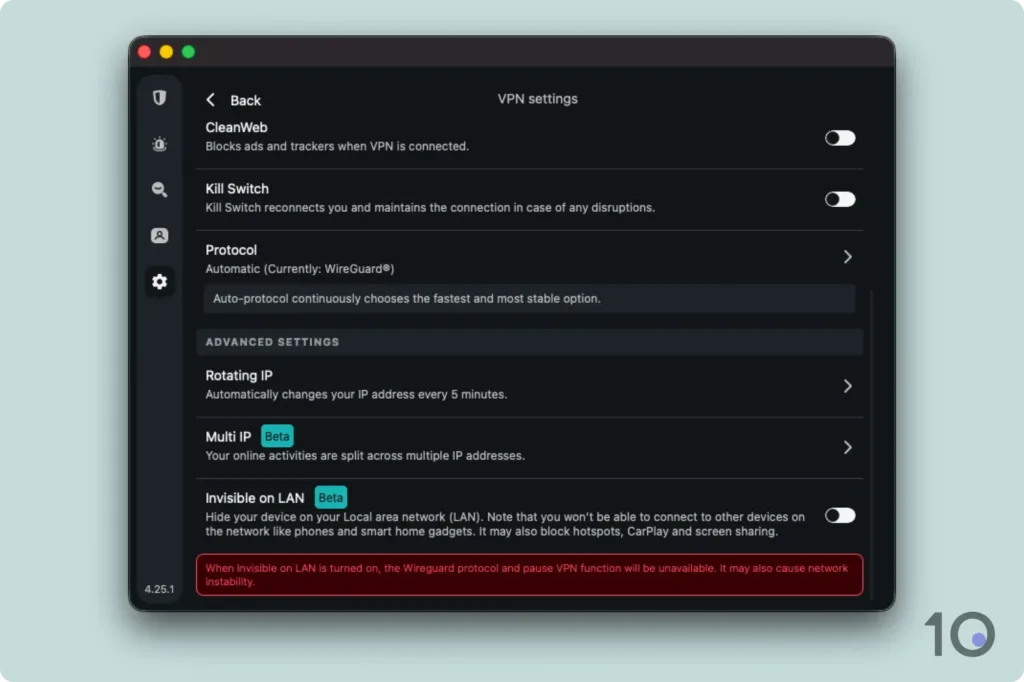
While NordVPN’s Double VPN (Multi-Hop) setting limits your choice to 10 countries, Surfshark’s one of the very few VPNs that allows you to setup a custom multi-hop connection via any two server locations of your choice.
Rotating IP and Multi-IP are also very useful privacy tools, very similar to ExpressVPN’s Shuffle IP system we described earlier. They’re not automatically active though, so remember to enable them in the ‘Settings’ menu.
Surprisingly, the kill switch is also not enabled by default, so when you first launch the app remember to go into its settings and activate it, before connecting to a VPN server.
As always, the .dmg version of the app is more advanced than the App Store app, which doesn’t include Bypasser, Surfshark’s split tunneling setting, for instance.
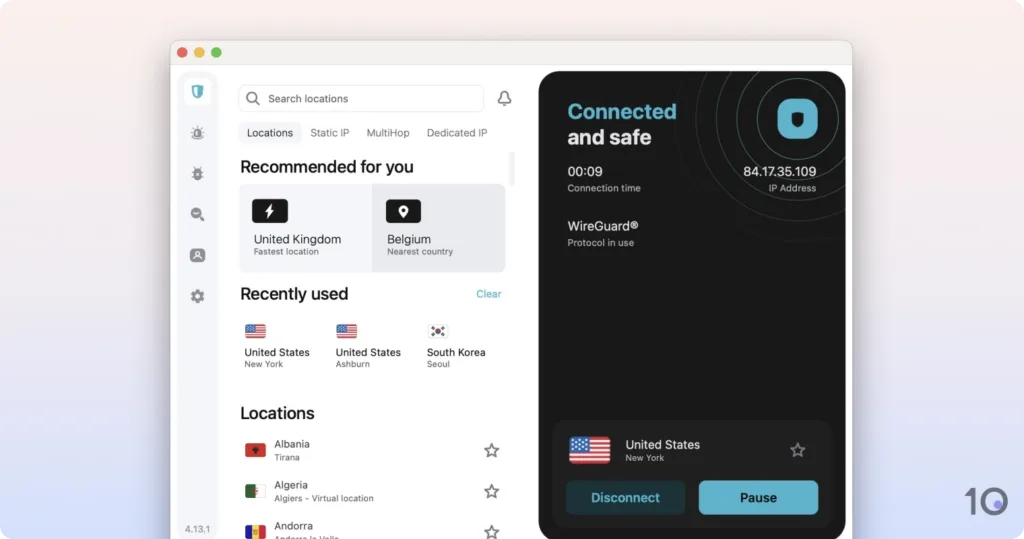
We’ve used Surfshark a lot on Mac (we do like our Macs at Top10VPN after all), and the app is just not as user-friendly as we’d like it to be.
It’s by no means difficult to use, but when you compare it to ExpressVPN’s app, the difference is obvious.
The home screen is fine, and you can easily connect to a VPN server, although it takes a good few seconds to actually change IP address.
We also found ourselves using the ‘favorite’ feature often, which pins a specific country to the top of the list for quicker future access.
The menu bar app was really disappointing, though. It only allows you to connect to a default server rather than one of your choice, like the ExpressVPN and NordVPN menu bar apps.
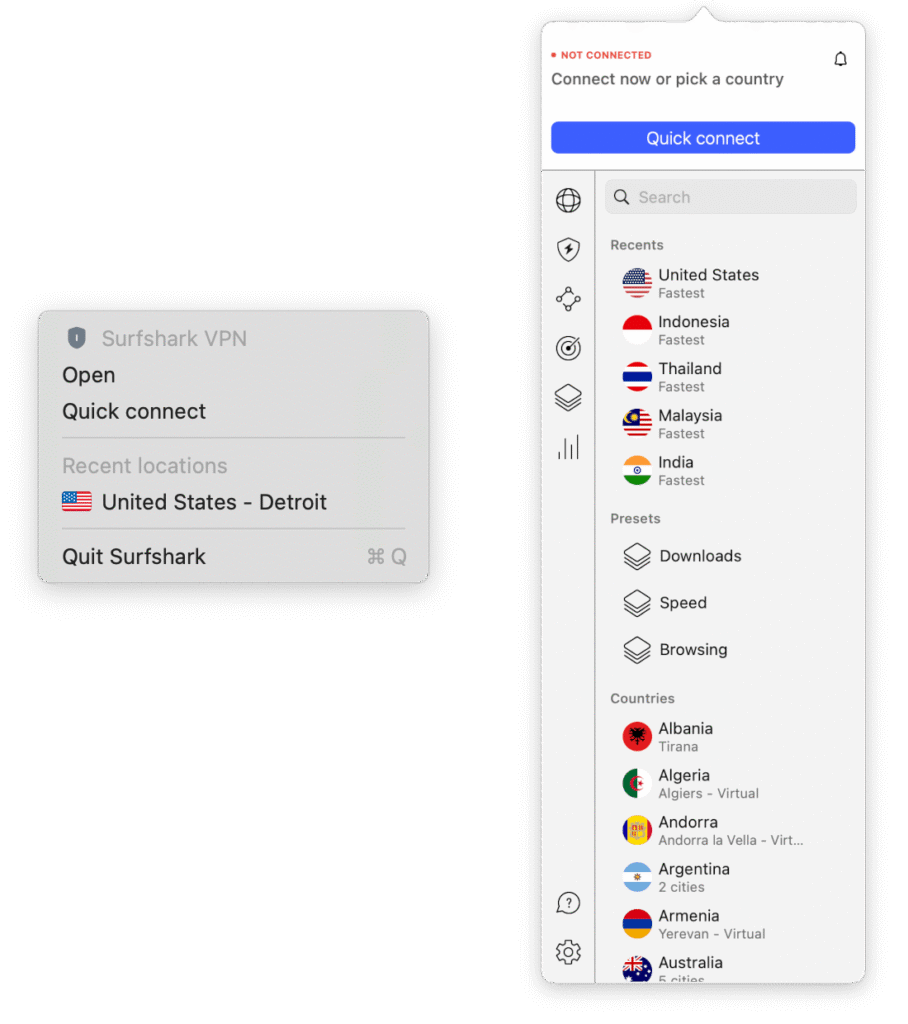
The user interface is also cluttered. The VPN functions are just one of five available on the navigation bar (like Surfshark Alert), which annoyingly are always there even if you aren’t subscribed to them.
The VPN section itself is also quite chaotic, with three separate tabs for the various server types you can use: ‘Locations,’ ‘Static,’ and ‘Multi-hop.’
Surfshark costs only $1.99/mo over 27 months and, considering what you get with it, is a bargain price.
And unlike ExpressVPN and NordVPN, Surfshark offers a 7-day free-trial directly on Mac.
This quick access to the free trial allows you to test a top-tier VPN on Mac more quickly. We recommend downloading the .dmg file from Surfshark’s website, since the Mac App Store app lacks certain features.
Detailed List of the Best Free Mac VPNs
1. Proton VPN: Best Free VPN for Mac

Overall Windows Rating: 7.0/10
Pros
Unlimited free data allowance
Extremely quick connection speeds
Strong security measures & logging policy
Built-in IP & DNS leak protection
Open-sourced & audited apps
Premium feel to its free macOS app
Cons
Can’t manually choose server location
Doesn’t bypass most streaming geo-restrictions
Free servers block all torrenting & P2P traffic
Requires a system extension to use WireGuard
One device policy
Many features are hidden behind a paywall
| Data Cap |
Unlimited |
|---|---|
| macOS Compatibility | Sierra & Later |
| Mac App Store | No |
| Local Download Speed | 99Mbps (1% loss) |
| Countries with Servers | 10 |
| Servers | 2,000 |
| Logging Policy | No Logs |
| Simultaneous Connections | 1 |
| Support | Email & Online Resources Only |
| Compatible with | |
Proton VPN is hands-down the best free VPN for Mac. Even better than that, it’s the best free VPN we’ve reviewed overall.
The VPN’s free Mac client is easy to use, and it’s the only trustworthy free VPN that doesn’t impose bandwidth restrictions.
Despite its several limitations, Proton VPN’s free app is excellent for essential privacy and security needs. But let’s be very clear: it is no good for torrenting or for accessing geo-restricted content.
Proton VPN is renowned for its security and we can confirm that it lives up to the hype.
The free service encrypts traffic via secure ChaCha20 or AES-256 ciphers (depending on the protocol you use), authenticates data with SHA-384 hashes, and establishes connections via RSA-4096 handshakes.
This means that the data you send over the Internet is fully encrypted and significantly harder to intercept and decipher. We verified this using Wireshark.
The Mac app includes several free settings such as a kill switch, which we’re glad is enabled by default, to prevent IP leaks if the VPN connection suddenly disconnects.
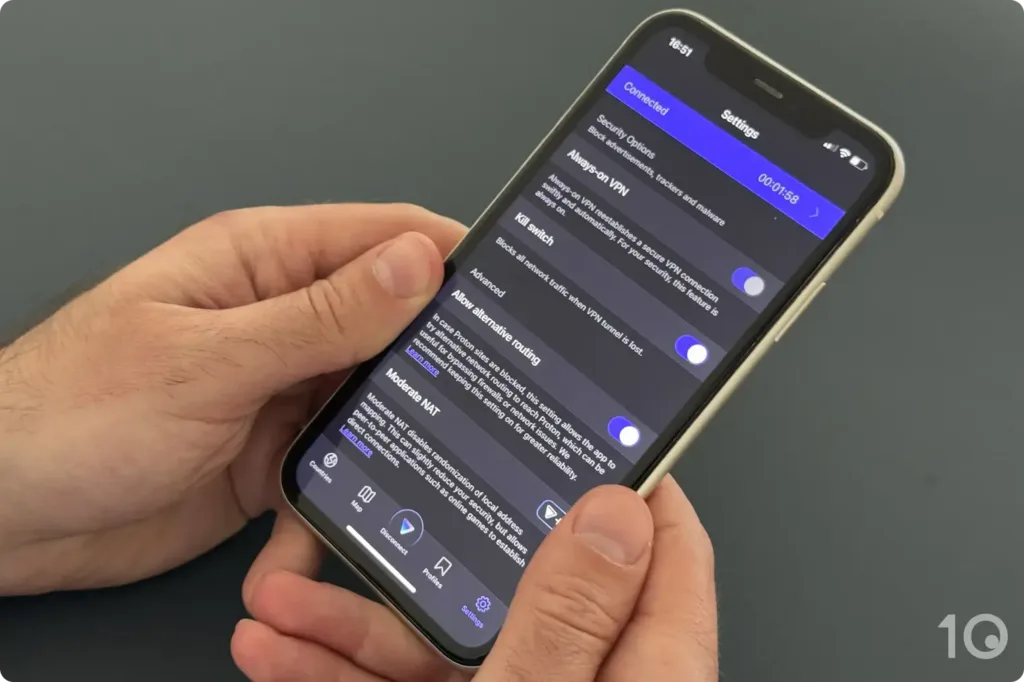
These settings are supported by the company’s privacy-first logging policy and the company’s Swiss jurisdiction, which doesn’t mandate any data-gathering for VPN providers.
All this adds up to make Proton VPN one of the most trusted VPNs for keeping your data both private and secure.
Arguably Proton VPN’s key advantage is that it’s the only safe free VPN that offers unlimited bandwidth. You can leave it running for as long as you want.
That said, you won’t be able to benefit from most high-bandwidth activities while connected to a free server.
Firstly, the free VPN has never got round most streaming geo-restrictions around the world. Secondly, all free servers actively block torrenting and P2P traffic.
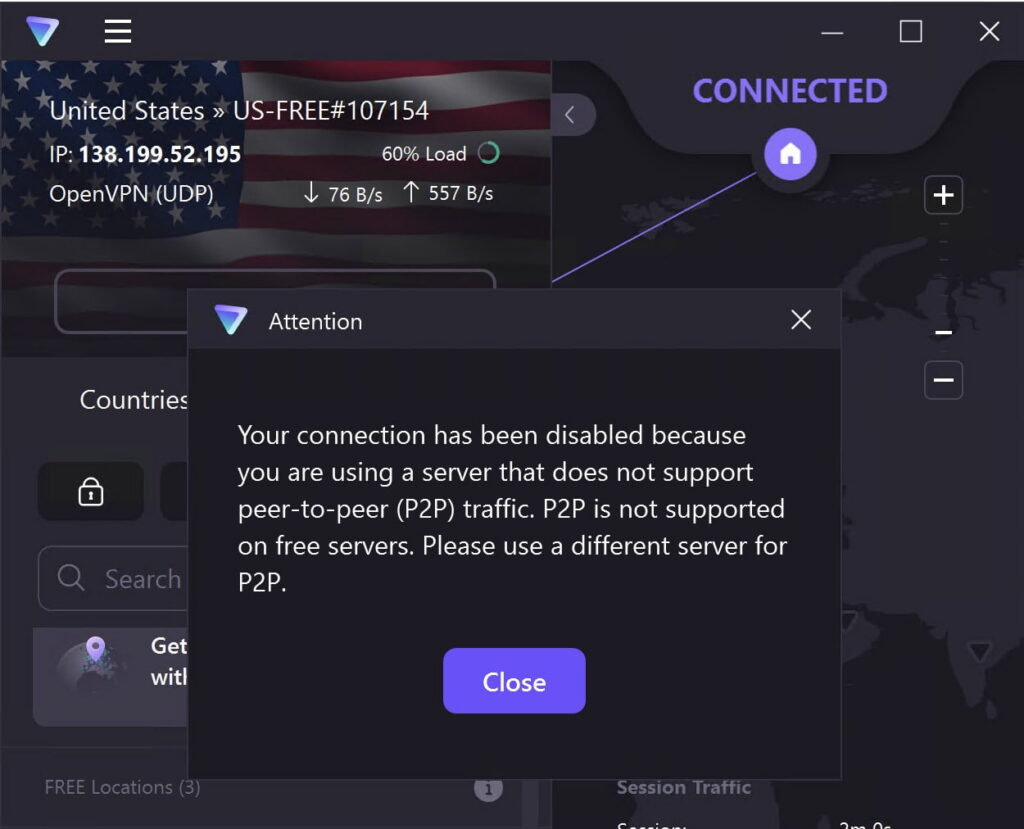
This was a great source of frustration for us, and it undoubtedly makes Proton VPN’s unlimited free data allowance less useful.
Proton VPN’s Mac app is straightforward to use and, unlike many of the free VPNs we tested, it’s ad-free and even felt premium while using it.
The free app’s design mirrors the paid version, which can be frustrating at times, since you can’t access many features available only to paid users.
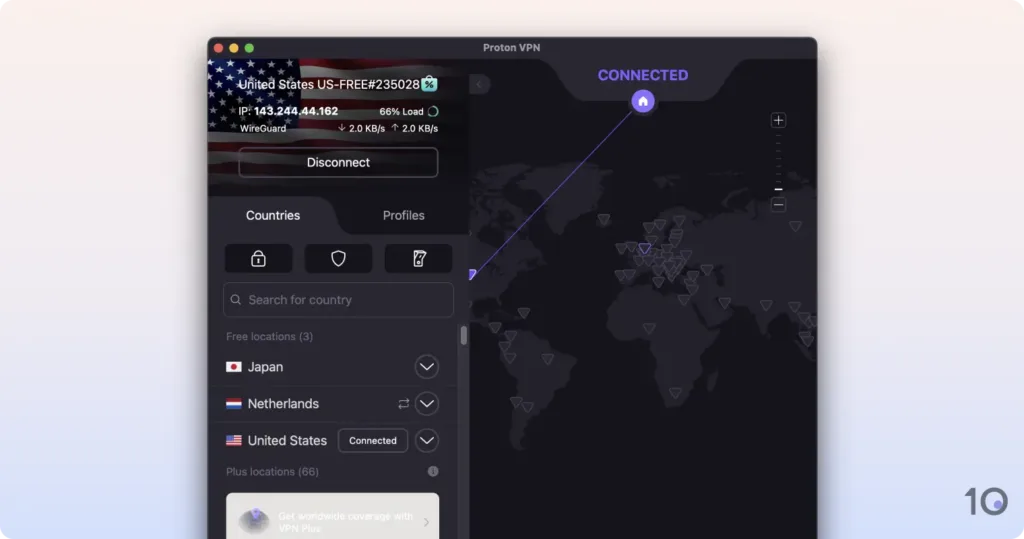
And despite a large app window, there is limited functionality with only the ‘Disconnect’ button and the kill switch icon available.
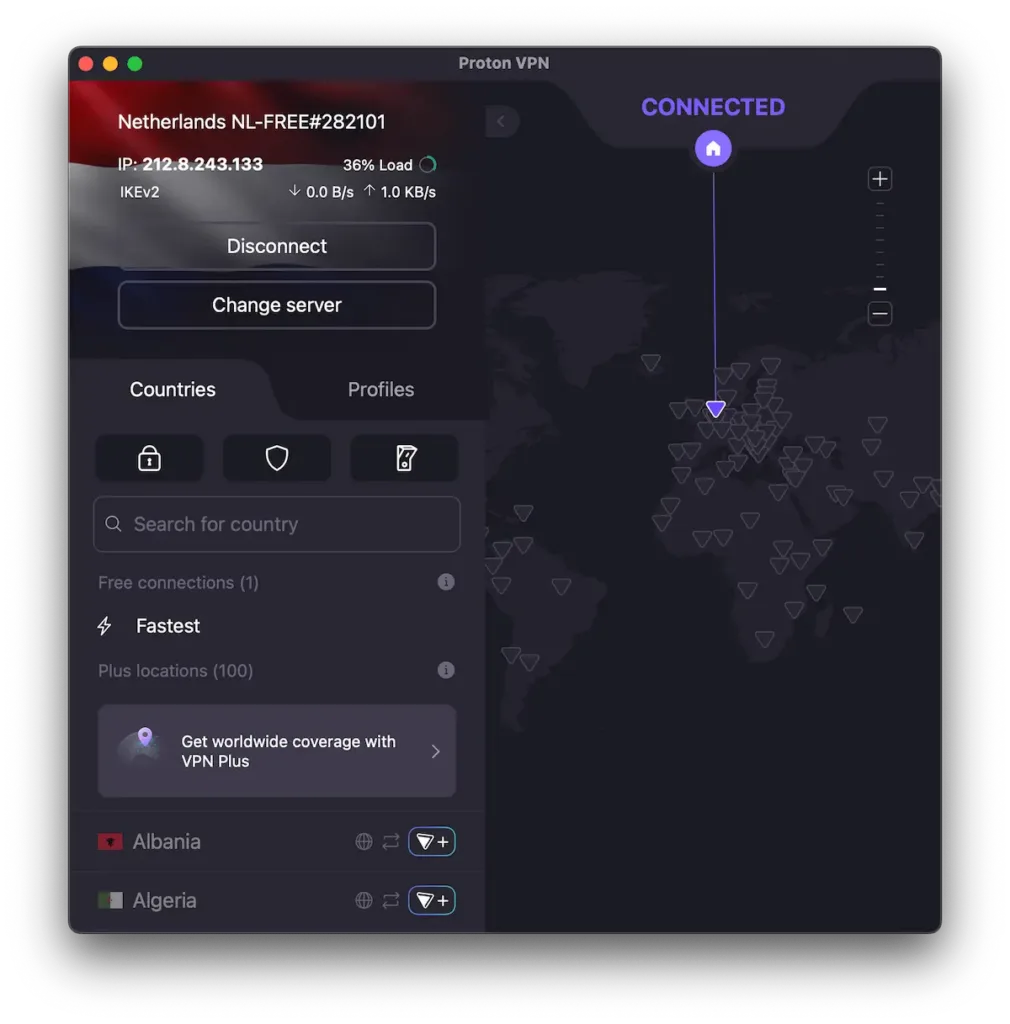
The free app’s interface is also dominated by features like ‘Change Server’, ‘Plus Locations’, ‘Secure Core’, and ‘NetShield,’ which require a paid account.
Moreover, to use the WireGuard protocol, Proton VPN’s app needs permission to add a Mac system extension, granting it higher privileges. Other VPNs, including Windscribe, didn’t require this extra step.
But, arguably the biggest limitation is that you can’t choose a server location to connect to. The app automatically connects you to the fastest (nearest) free server available.
By contrast, Windscribe lets you choose between free servers in 10 countries.
2. Windscribe: Free VPN for Beating Geo-blocks

Overall Windows Rating: 6.5/10
Pros
Unblocks 5 Netflix regions, BBC iPlayer & other streaming platforms
Allows torrenting on all its free servers
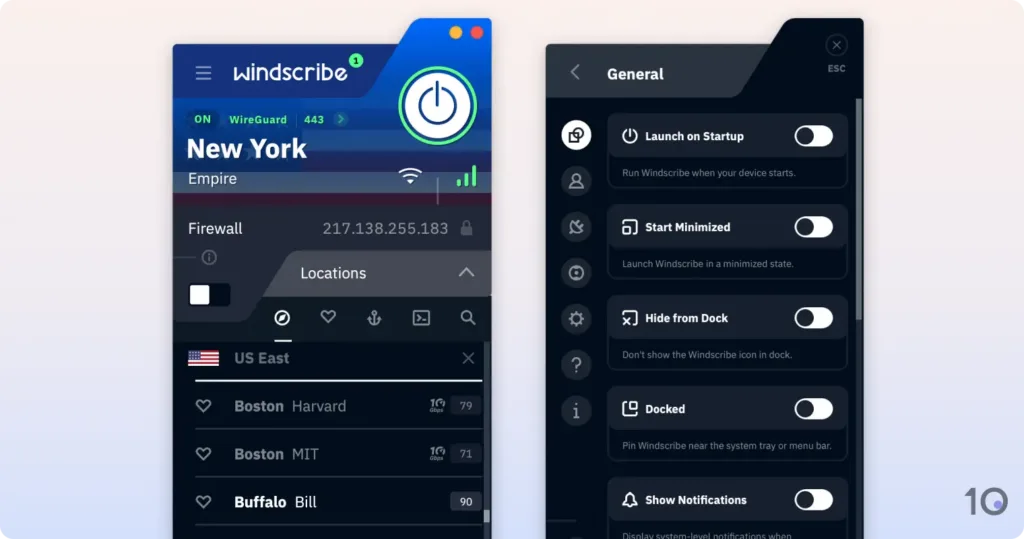
Menu bar app allows you to quickly change server locations
Works in highly-censored countries like China
Unlimited simultaneous connections
Cons
10GB monthly data cap
Minor macOS compatibility issues
Doesn’t work with US Netflix
No human live chat support
Slower than Proton VPN
| Data Cap |
10GB per month |
|---|---|
| macOS Compatibility | Yosemite & later |
| Mac App Store | No |
| Local Download Speed | 91Mbps (9% loss) |
| Countries with Servers | 10 |
| Servers | 10 |
| Logging Policy | No Identifiable Data |
| Simultaneous Connections | Unlimited |
| Support | Email & Online Resources Only |
| Compatible with | |
Windscribe has been one of our favorite free VPNs for Mac since the very beginning, mostly thanks to its superb unblocking capabilities.
Similarly to Proton VPN, Windscribe’s apps are user-friendly and have all the key security and privacy settings you need from a VPN service.
The big differences are that Windscribe can bypass many content geo-blocks, allows torrenting, but it limits usage to 10GB each month.
Windscribe is the only safe free VPN that works with UK Netflix, Hulu, Disney+, BBC iPlayer, Prime Video, and HBO Max.
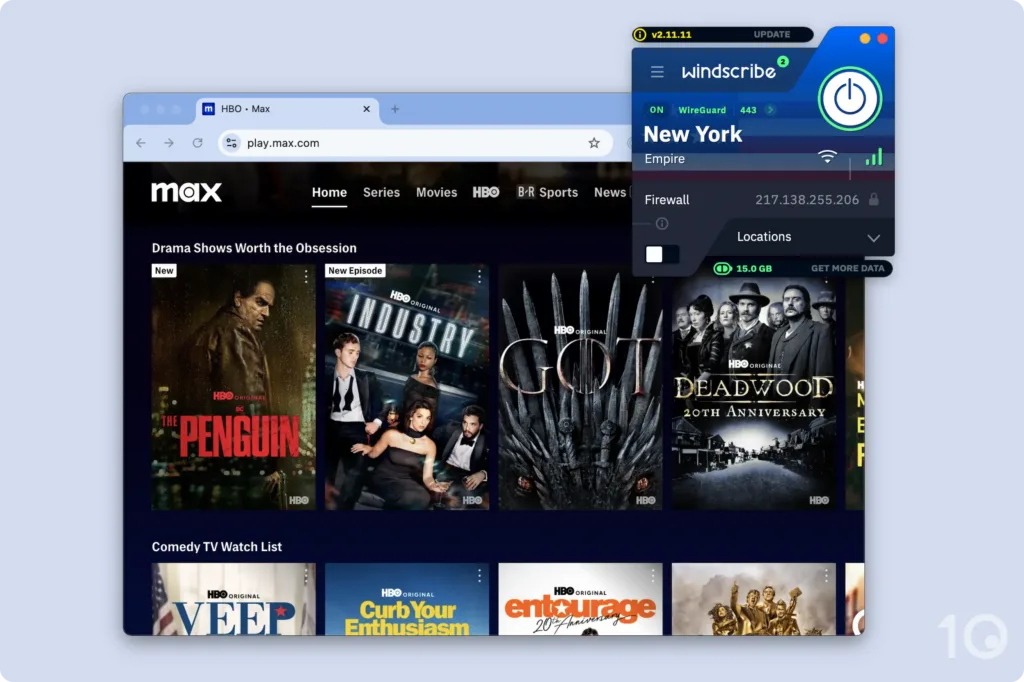
During our tests, we streamed geo-blocked movies and TV shows from all 10 free server locations.
Speeds were good enough for us to stream TV shows and movies in HD, although we did experience sudden speed slowdowns that resulted in fuzzy video quality on occasions.
The only real drawback to using Windscribe’s free plan is its 10GB monthly data cap. For context, this is roughly four hours of HD streaming.
Unlike the vast majority of safe free VPNs, Windscribe is still extremely effective at circumventing internet restrictions in high-censorship countries like China.
We tested the VPN for access in China via our remote server in Shanghai, and it unbelievably worked 85% of the time!
We had to use the ‘StealthVPN’ connection protocol to get access to the open Internet, since it obfuscates VPN traffic to bypass strict internet filters like the Great Firewall of China.
Where Proton VPN disappoints, Windscribe pleases, particularly for anonymous torrenting and file sharing.
Windscribe continues to be an exceptional free VPN for torrenting, delivering P2P traffic on all its free servers with a very respectable average transfer speed (bitrate) of 6.3MiB/s.
Just like Proton VPN, Windscribe also offers a tried-and-tested kill switch, built-in DNS leak protection, and secure AES-256 and ChaCha20 encryption.
Importantly, make sure you stop torrenting before your data runs out, otherwise your real IP address will leak (even with the kill switch activated).
Windscribe’s macOS app is very easy to use, with a simple layout and large button for easy connections. There are also way more extra settings available compared to Proton VPN.
But, if you experience issues, there is no human live chat support to help unfortunately. You can speak to Garry, an automated chatbot, but we have never found it helpful.
The only other downside to Windscribe is that the Mac app is a basic menu bar app. Menu bar apps are small, limited in functionality, and hard to configure.
Plus, the app doesn’t even behave like a typical menu bar app. When you interact with it, it forces you out of the foremost app and jumps to the desktop.
In the latest version, you can detach the app from the menu bar. But, this simply turns the app into a floating window, which doesn’t really improve user experience.
Popular VPNs & Proxies We Don’t Recommend
After testing 61 VPNs, a handful came very close to making our recommendations list above, but ultimately weren’t quite good enough.
We’ve listed below four popular VPN options that fell short of meeting our very high selection standards.
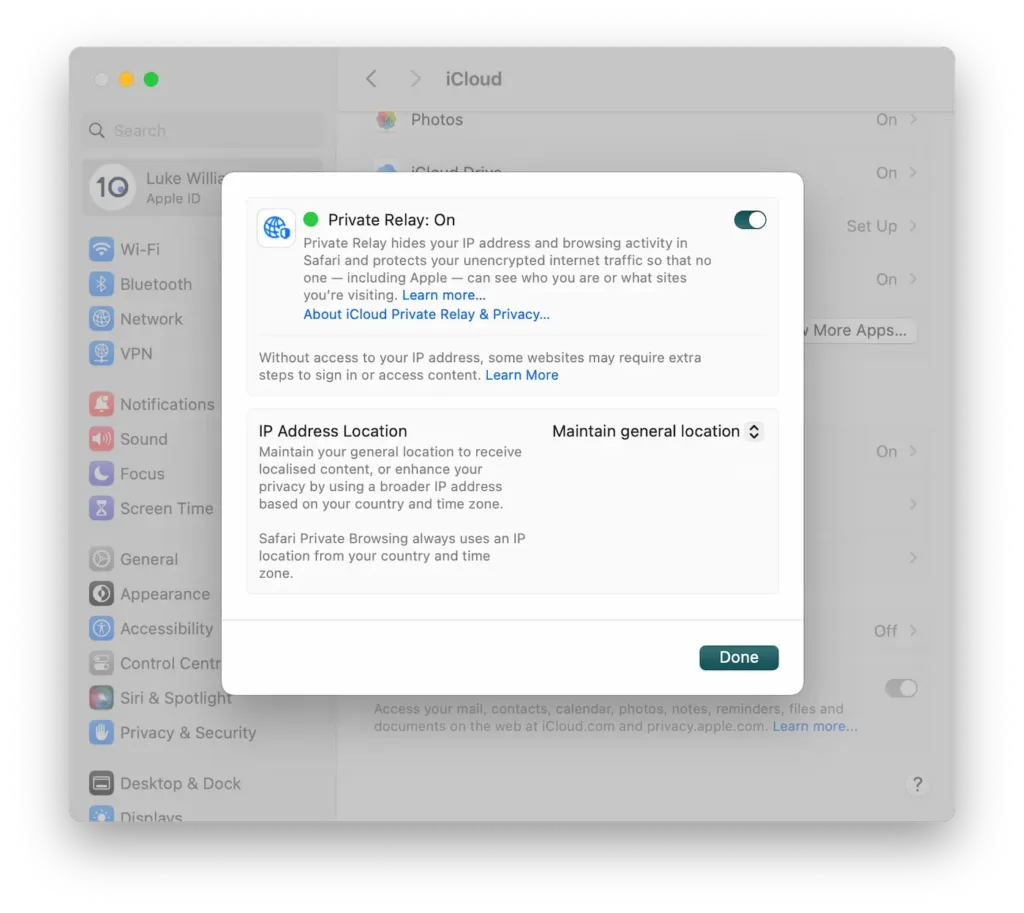
iCloud Private Relay is available for anyone paying for an iCloud storage plan. While it effectively concealed our IP address and encrypted traffic, it is not a VPN.
It only works with Safari and did not allow us to obtain an IP address from a different country, making it useless for bypassing geo-restrictions.
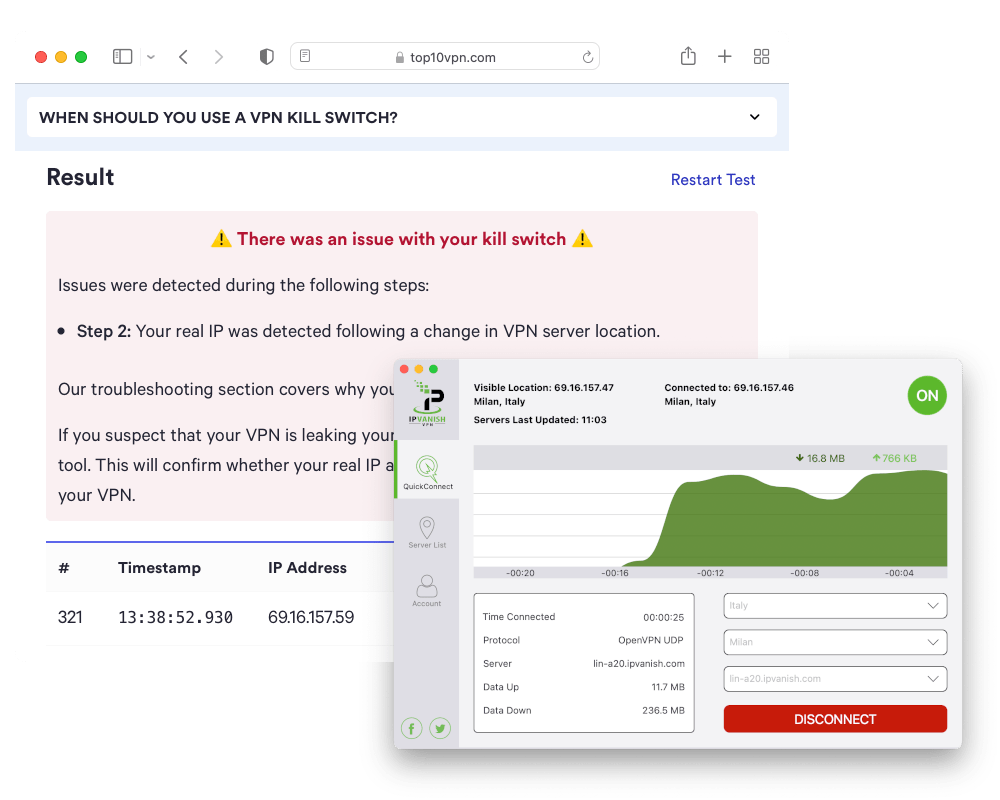
IPVanish’s macOS application works well, however its design isn’t as impressive as ExpressVPN’s and its unblocking capabilities aren’t quite as comprehensive as our recommended VPNs. We also detected minor issues with its kill switch.
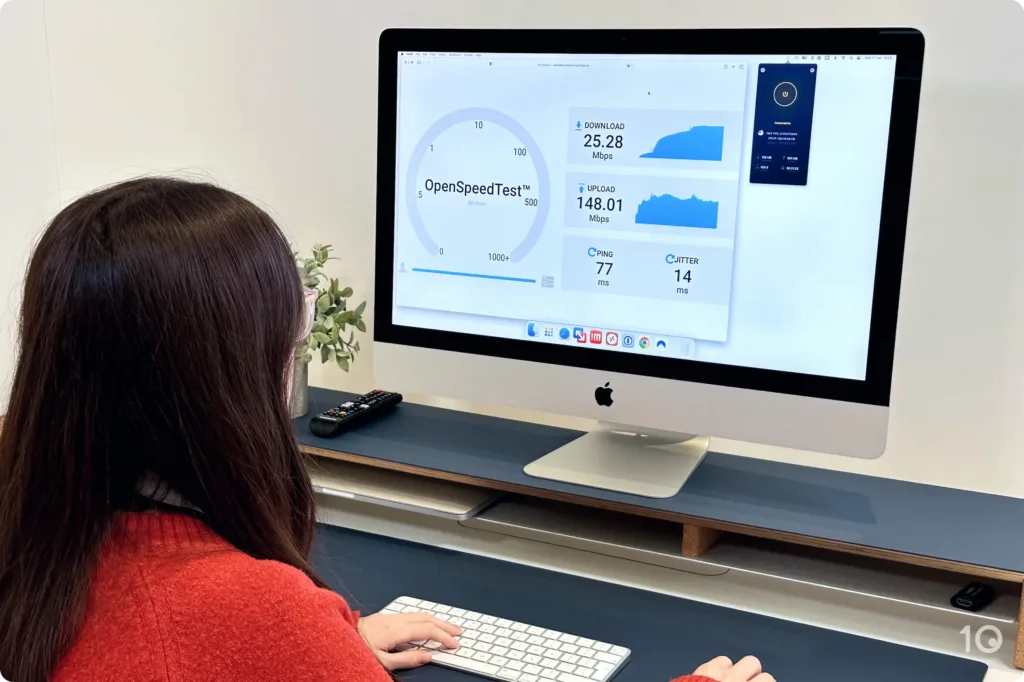
Our main pain point with using CyberGhost on Mac is the VPN’s slow speeds, which have been slowing down over the years and fall far short of rivals such as ExpressVPN and NordVPN.
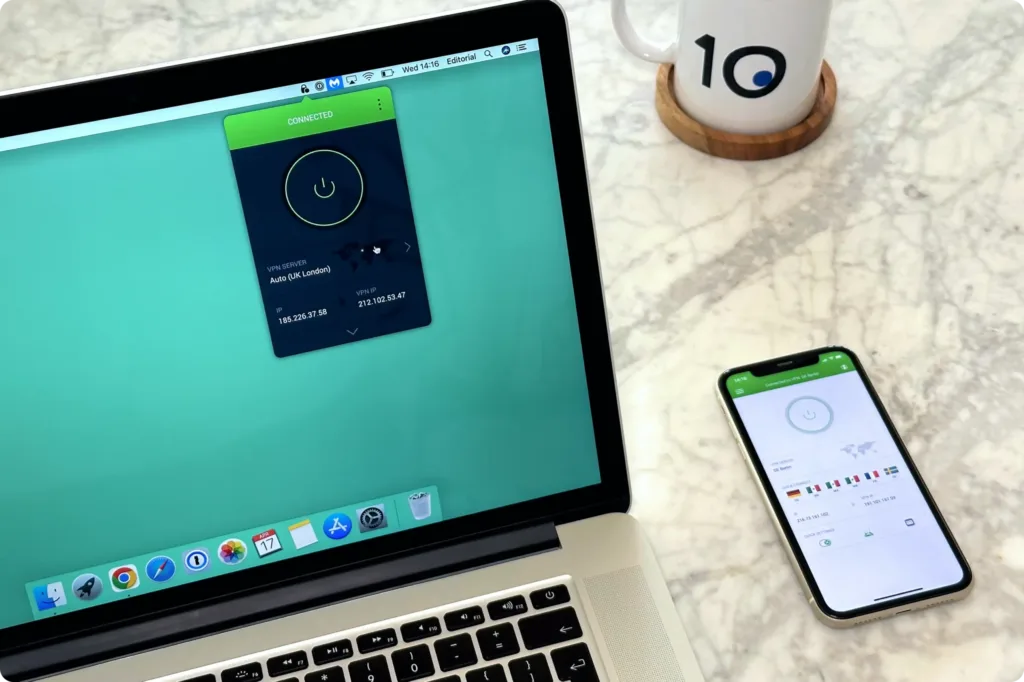
We found PIA’s macOS app slightly frustrating to use. It launches as a menu bar app by default, and traditional keyboard shortcuts don’t work with it. The windowed app also took over three seconds to load.
Dangerous Free Mac VPNs to Avoid
During our comprehensive tests, we discovered a staggering amount of free ones we firmly advise you don’t use. Many proved very user-unfriendly, and often dangerous to use!
Below are five of the worst free VPNs for Mac you must not use under any circumstance:
Betternet’s free VPN is simply not secure enough. It our tests it suffered from WebRTC and DNS leaks, and has only one free VPN server. It also doesn’t bypass content geo-restrictions or strict internet firewalls.
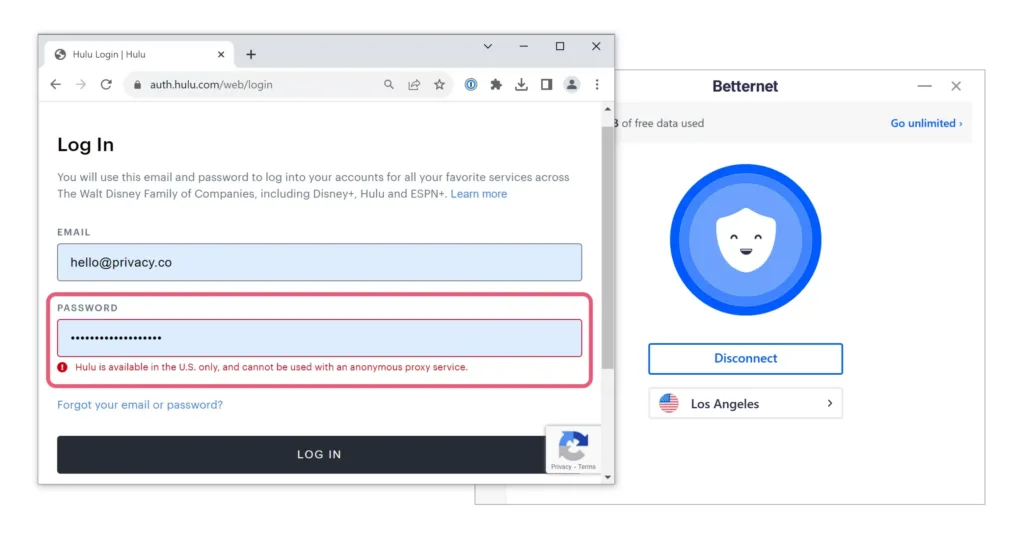
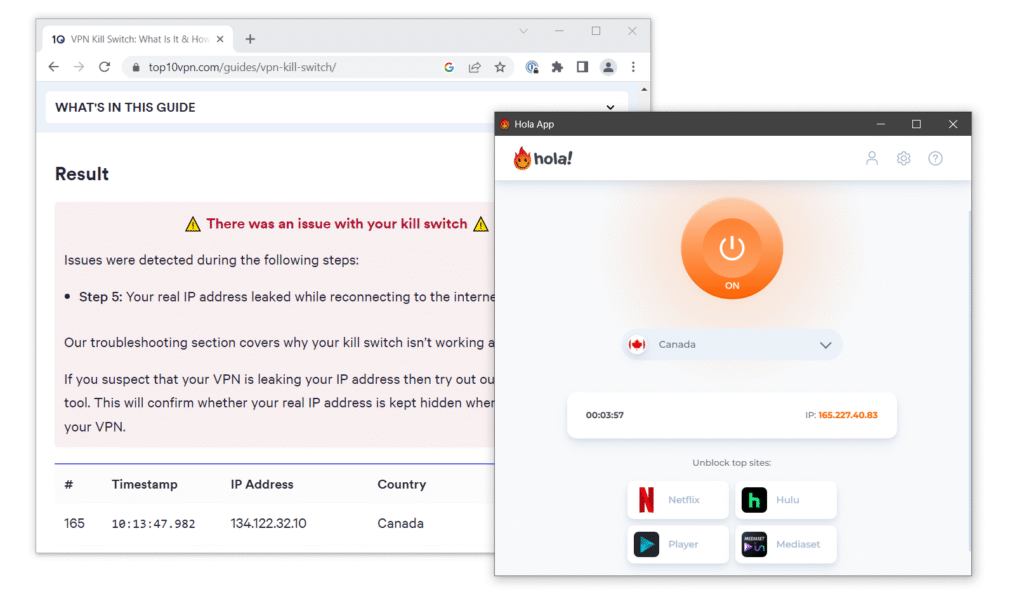
Hola Free VPN logs your internet activity, doesn’t use encryption, leaked our real IP address, and it even shares your idle bandwidth with other Hola VPN users.
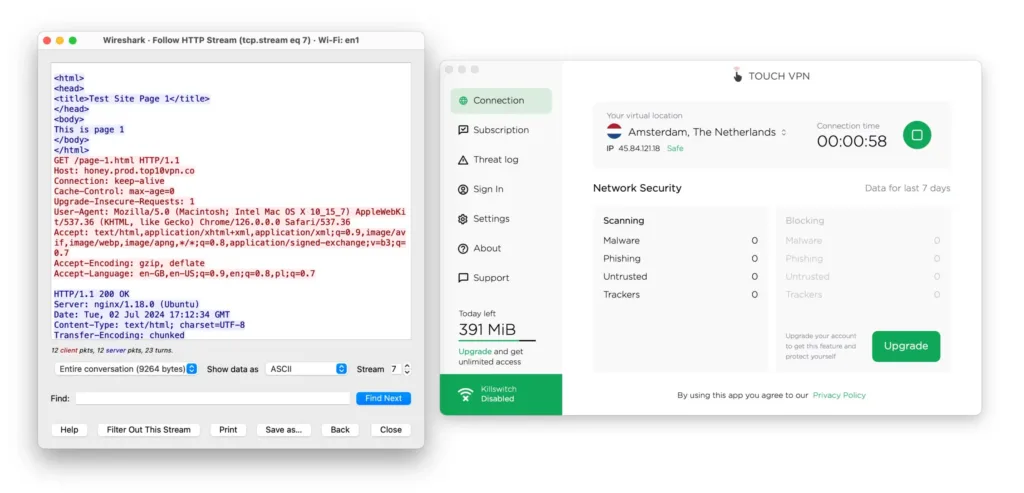
Touch VPN has an intrusive logging policy, uses the insecure PPTP protocol, and has no security features. It even leaked our DNS requests and failed to encrypt our internet traffic.
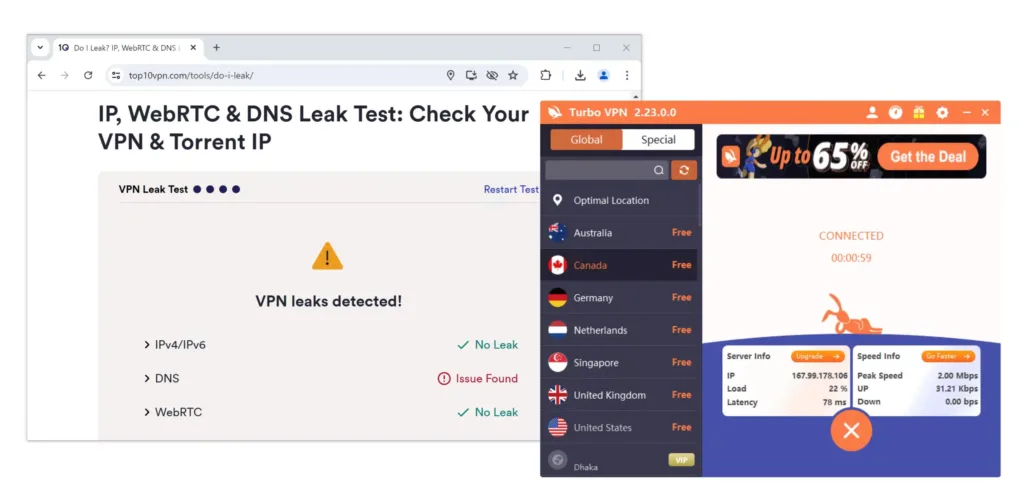
Turbo VPN is infested with third-party advertising, and it has worrying links to a suspicious Chinese company. It also suffers from DNS leaks, like most of the free macOS VPNs we examined.
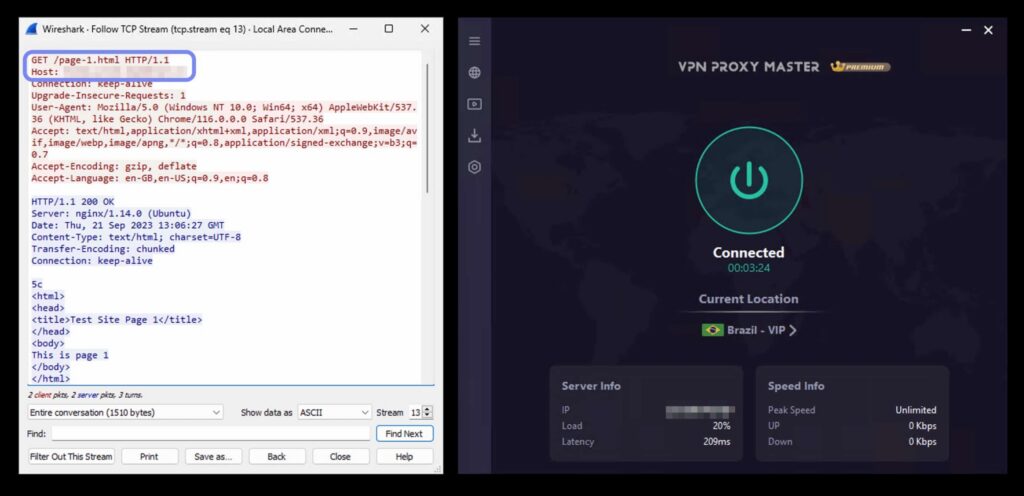
VPN Proxy Master logs too much personally-identifiable data, including internet service provider, bandwidth data, and VPN server location. It also left our internet traffic unencrypted.
How to Choose a VPN for Mac
If you want to make your own research, you’ll be faced with a maze of technical terms and numerous features to evaluate.
If a VPN service meets all of the above criteria, you can be confident it won’t disappoint.
While price plays an important role, affordability is subjective, and while all our recommended VPNs represent great value, your personal budget will dictate which VPN to pick.

Copyright © 2026 Vpnads.com. All Rights Reserved. The information we share on this website does not constitute legal or professional advice and should not be treated as such. Reproduction of this site in whole or in part is strictly prohibited.