The Best VPN Apps for iPhone
The Short Answer
ExpressVPN is the best VPN to use on your iPhone, thanks to its superbly-designed iOS app and instant no-log connections that bypass most geo-blocks around the world. NordVPN is a close runner-up, with excellent internet speeds and many free extra settings included, while Proton VPN is the only completely free (and safe) VPN with unlimited data, ideal for always-on protection.
With native apps for iOS 26 and below, all five VPNs work smoothly on WiFi and cellular networks worldwide.
They’ll change your IP address, hide your Internet activity from ISPs and mobile carriers, and protect sensitive data transfers from connection hacking attempts.
VPN Comparison Table
The table below compares our top-rated Windows VPNs based on download speed, server locations, cheapest price, and more.
 |
 |
 |
 |
 |
|
|---|---|---|---|---|---|
| Review Summary | ExpressVPN summary | NordVPN summary | PIA VPN summary | Proton VPN Free summary | Windscribe Free summary |
| Overall Mac Rating | |||||
| iOS App | 9.8 | 9.5 | 9.8 | 7.0 | 6.7 |
| Privacy | 9.78.8 | 8.8 | 9.7 | 9.5 | 8.9 |
| Speed | 9.7 | 9.7 | 9.7 | 9.4 | 8.8 |
| Security | 9.3 | 9.1 | 9.3 | 9.8 | 7.2 |
| Streaming | 6.1 | 9.4 | 6.1 | 0.0 | 5.7 |
| iOS Free Trial | 7 Days | None | 7 Days | N/A | N/A |
| Cheapest Price | $2.79/mo over 28 months | $3.39/mo over 24 months | $2.03/mo over 39 months | Free | Free |
| Official Website | expressvpn.com | nordvpn.com | piavpn.com | protonvpn.com | windscribe.com |
The Best iPhone VPNs Compared & Reviewed
1. ExpressVPN: Best VPN for iPhone

Overall Windows Rating: 9.5/10
Pros
 The most user-friendly VPN application
Fast mobile connections around the world
Unblocks 18 Netflix regions, Disney+, HBO Max & more
Two built-in kill switches for maximum protection
Lightway protocol with AES-256 or ChaCha20 encryption
7-day free trial via Apple App Store
Cons
 Meaningfully more expensive than PIA
Not as many additional features as its rivals
No auto-connect setting within the app
| Pricing Plans |
$12.99/mo $3.99/mo over 15 months $2.79/mo over 28 months |
|---|---|
| Local Download Speed | 98Mbps (2% loss) |
| Countries with Servers | 109 |
| Servers | 13,360 |
| Logging Policy | No Identifiable Data |
| Simultaneous Connections | 10 |
| Support | 24/7 Live Chat |
| Compatible with |          |
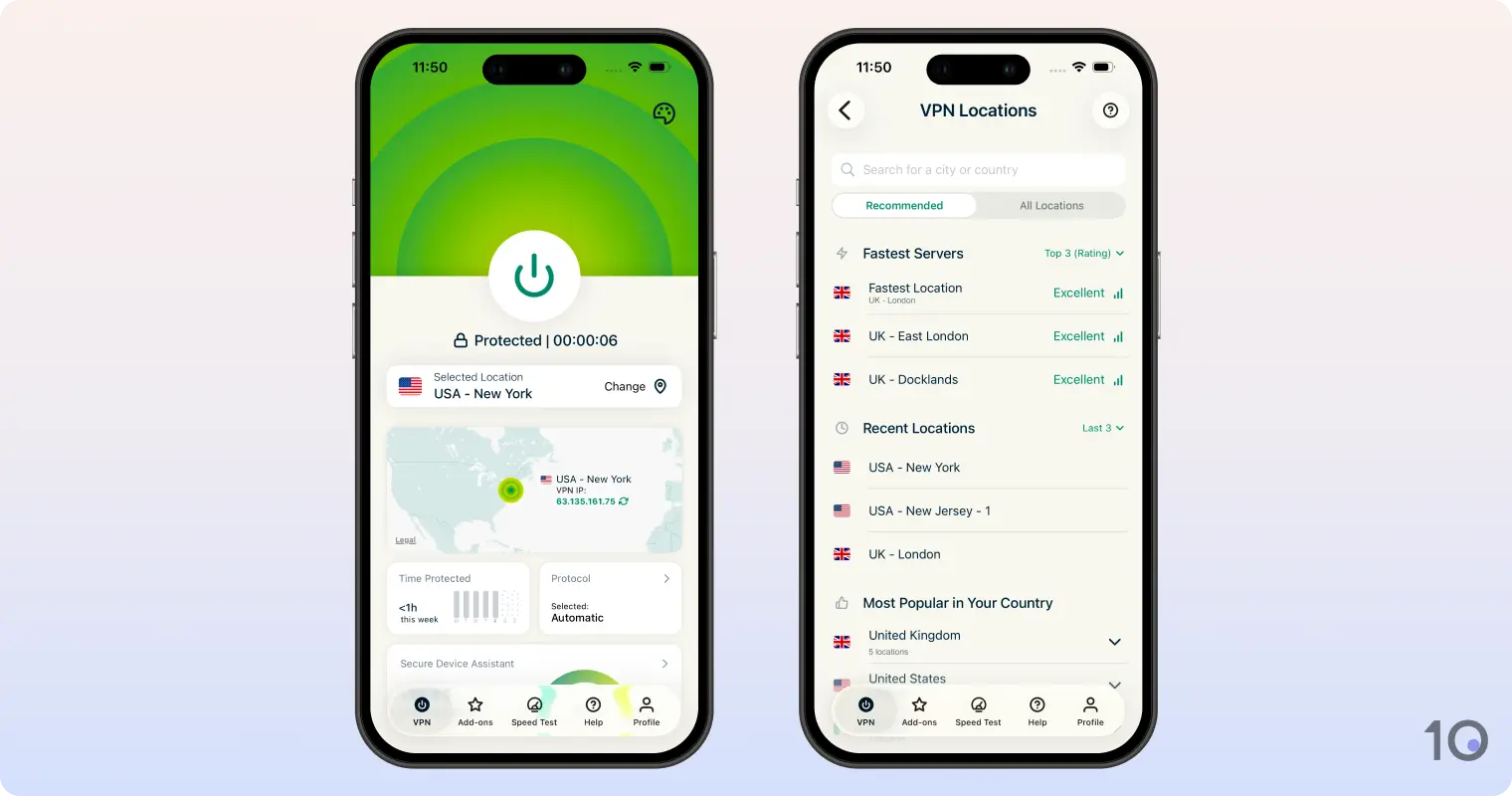
We simply loved using ExpressVPN on our iPhone, thanks to its well-designed and intuitive app, exceptional speeds, and app-unblocking results.
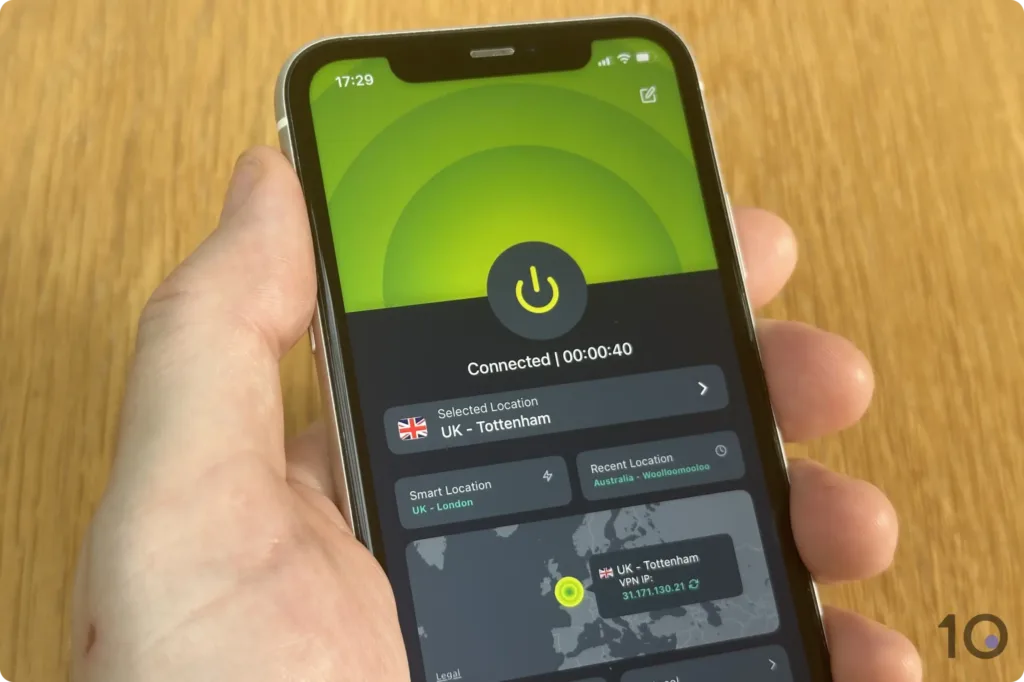
We particularly enjoyed the simplicity of the app’s one-tap connect button, and how it instantly connects you to a server location, no matter where it is in the world.
ExpressVPN also excels at bypassing most IP-based restrictions used by streaming apps like Netflix, Disney+, Prime Video, and BBC iPlayer.
The VPN’s only flaw is the slightly expensive subscription cost, but in our opinion its superior performance on iOS justifies the higher price tag.
Even more impressively, ExpressVPN maintained a very high Internet speed while connected to several servers located around the world.
This excellent speed performance is largely down to the VPN’s in-house Lightway protocol. Lightway was more than twice as fast as OpenVPN connecting to a VPN server, and was also much quicker to reconnect to a server.
And the great thing about ExpressVPN is that these phenomenal speeds don’t come at the expense of privacy and security.
The VPN’s iOS app, just like all its other software, uses best-in-class technology to secure your connections.
ExpressVPN’s primary protocol, Lightway, uses either AES-256-GCM or ChaCha20/Poly1305 encryption. The app automatically chooses the best option depending on your iPhone’s hardware.
Plus, all 13,360 servers don’t log any revealing internet activity and are completely diskless, meaning your internet data is never written to a hard drive.
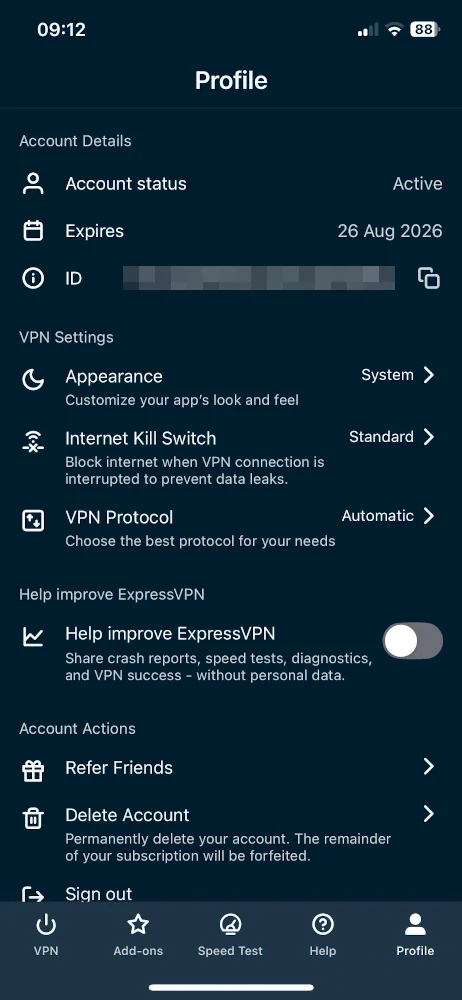
As for keeping your real IP address hidden, the app offers two types of kill switches: a standard one that blocks your internet if the VPN connection drops, and a more advanced one that blocks all network traffic for even greater protection.
ExpressVPN’s exceptional speeds made a big difference when it came to streaming geo-restricted videos at the maximum resolution.
Not only did the VPN unblock almost every region-locked streaming app, but it did so connecting instantly to servers, loading content quickly, and streaming without interruptions or blurriness.
ExpressVPN worked wonderfully with over 95% of the 120 streaming services we tested it with, including Prime Video, Disney+, HBO Max, Hulu, BBC iPlayer, and DAZN.
We also need to highlight how well the VPN works with Netflix: it’s by far the most effective at unblocking the American library on any device, and it can access another 17 regions with a breeze.
ExpressVPN’s intuitive iOS app could not be simpler to use, even if you’re completely new to VPNs.
A large connection button in the center of the screen makes the app very easy to use, even on smaller iPhone screens.
You can also change the appearance of the app directly from its settings, which you can’t do with NordVPN or PIA. You can set it to follow your light/dark system settings, or choose between sand, sky, midnight or twilight.
We also love ExpressVPN’s iOS integration, which allowed us to connect to a VPN server either via a Siri voice command, or through a quick tap of the Home Screen widget. For now, you can only connect to the last server you used, though.
ExpressVPN also encrypts your Apple Watch data, since your watch shares a network connection from the iPhone.
And if you’re an Apple fanboy, ExpressVPN’s VPN apps for Mac and Apple TV are just as beginner-friendly and satisfying as their iOS counterpart.
Honestly, the only “issue” affecting ExpressVPN is its price, which is a little higher than the other subscription-based VPNs we recommend.
That being said, ExpressVPN’s exceptional usability and performance across most of our testing areas is worth paying for. Don’t forget that ExpressVPN renews at a lower price than NordVPN, too.
If you want to test the VPN first, then we recommend taking advantage of ExpressVPN’s 7-day free trial via the App Store.
2. NordVPN: Many Free Extras
Overall Windows Rating: 9.4/10
Pros
Very fast connection speeds with NordLynx
Very strong security features & good logging policy
Many extra settings including multi-hop & Meshnet
Convenient iOS widget & Siri shortcut
Auto-connect feature for public WiFi networks
Unblocks many geo-restricted video apps
Cons
Map interface is awkward on iPhone
No free trial via the App Store
Renews at a much higher price
Retains connection timestamps for 15 minutes
Ineffective at bypassing stricter online censorship
| Pricing Plans |
$12.99/mo $4.99/mo over 12 months $3.39/mo over 24 months |
|---|---|
| Local Download Speed | 96Mbps (4% loss) |
| Countries with Servers | 127 |
| Servers | 8,100 |
| Logging Policy | No Identifiable Data |
| Simultaneous Connections | 10 |
| Support | 24/7 Live Chat |
| Compatible with | |
While NordVPN isn’t quite as good as ExpressVPN, it’s nonetheless a great iPhone VPN app equally well-integrated with built-in iOS features.
The key differences are that it covers more countries, especially in Africa and the Middle East, and it offers more advanced security features, particularly multi-hop servers that add a further layer of protection to your connections.
That being said, NordVPN’s software it’s not as well designed as ExpressVPN’s and less effective at circumventing geo-restrictions, especially in high-censorship countries.
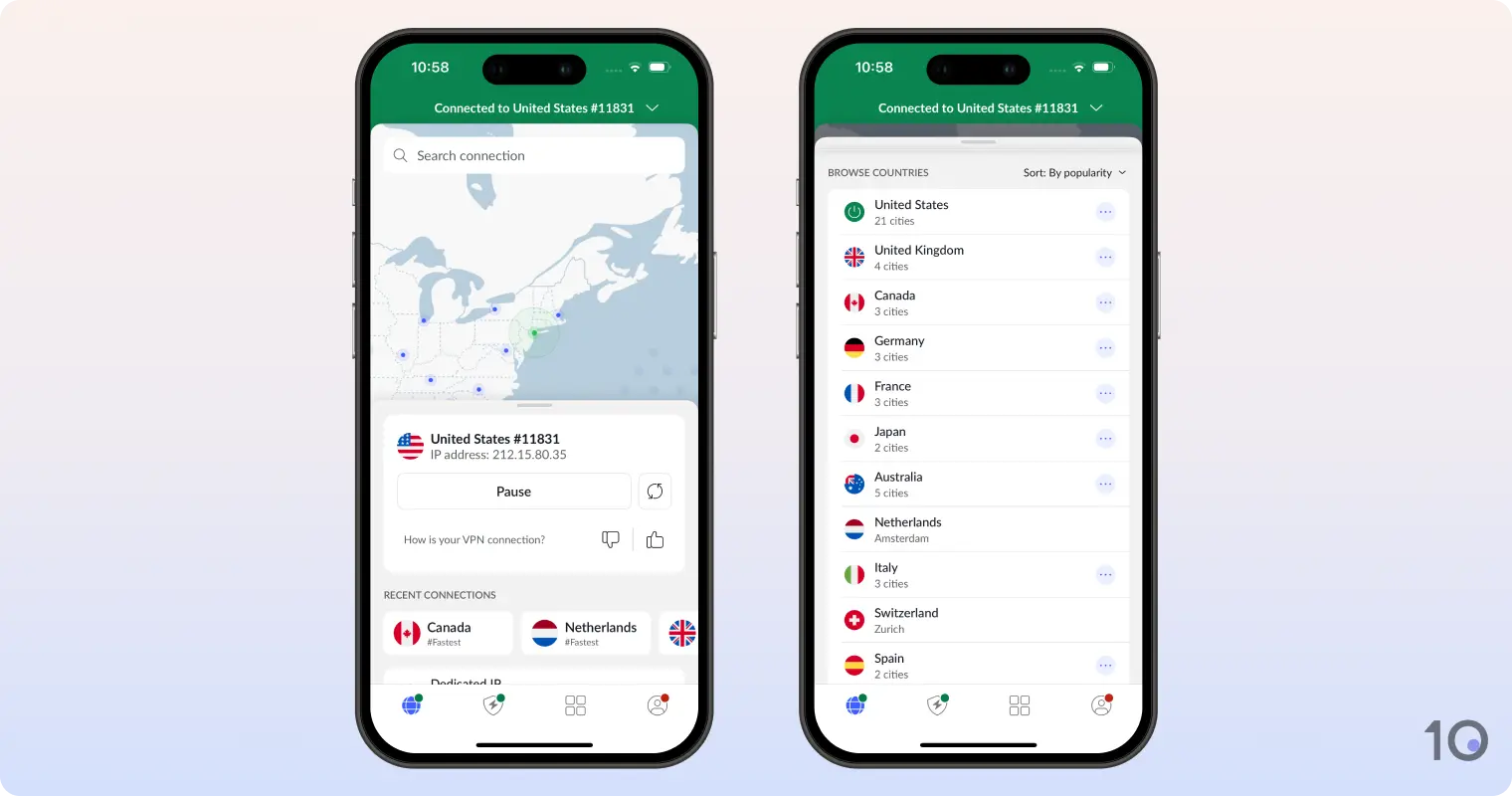
NordVPN’s app is extremely well-integrated with iOS, and it’s the one area in which it comfortably beats ExpressVPN.
We particularly loved the trusted networks feature, which automatically activated the VPN whenever we connected to any WiFi network other than our home one.
We really missed this feature whenever we switched back to ExpressVPN — especially on the go, as we connected to various free public WiFi networks.
NordVPN’s iOS widget is also the best we’ve come across. We were able to quickly select from 5 recent server locations right from our home screen and lock screen. You can also pause or disconnect the VPN in one tap.
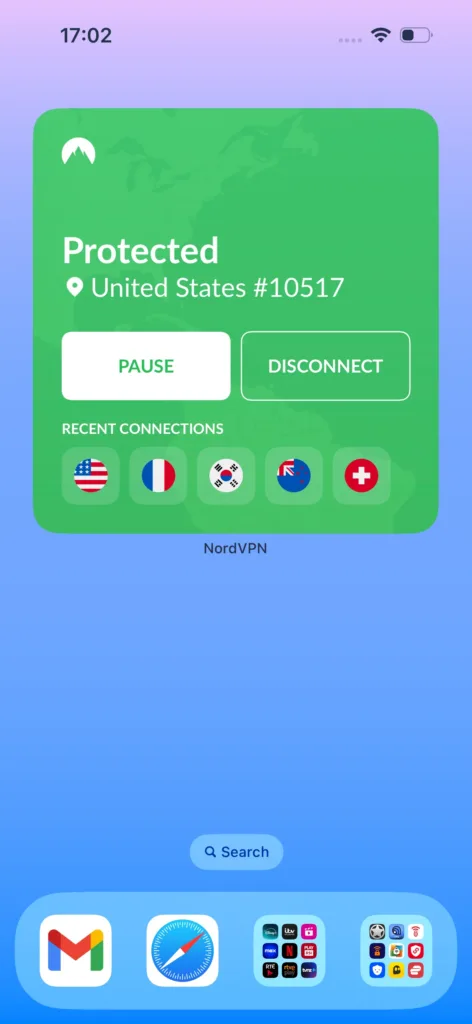
Honestly, NordVPN’s iOS widget is a lot better than PIA’s, which simply opens the VPN app.
NordVPN’s iOS app also detects whether your iPhone is using light or dark mode, and mirrors the app’s theme accordingly. These little touches show the level of attention the company has paid to its mobile app.
NordVPN has a huge server network stretching 127 countries, with most server locations recording very high Internet speeds.
In our most recent tests, we recorded a mere 4% loss in download speed while connected to a nearby server and 14% slowdown across longer distances.
That said, the application didn’t connect to server locations as fast as ExpressVPN: it only took a handful of seconds, but it wasn’t instant.
Another key difference between NordVPN’s app and ExpressVPN’s is the wider range of advanced security settings you get.
In addition to an effective kill switch and ChaCha20 encryption keys (which ExpressVPN also offers), you also can also access additional settings such as auto-connect to trusted WiFi networks and multi-hop (double VPN) servers.
And thanks to the built-in Threat Protection solution, the VPN app will block ads and malicious domains. It’s not infallible but it’s certainly useful, blocking over 90% of ads and trackers.
Overall, NordVPN’s iOS app doesn’t have any significant drawbacks, although there are a few issues that we really want the company to address.
For certain, the company needs to revise its map interface, which is too small to interact with on an iPhone-sized screen. Frustratingly, you can’t zoom out of the map, either.
The VPN has also got increasingly bad at bypassing sophisticated censorship in countries like China, Turkey, and Russia. While it could circumvent aggressive firewalls in the past, it really struggles now, which is a real shame.
3. PIA VPN: Cheap VPN for iPhone
Overall Windows Rating: 8.8/10
Pros
Very affordable two-year subscription plan
Excellent security settings & customization options
Convenient iOS widget & Siri shortcut
The most effective ad & tracker blocker (MACE)
7-day iOS free trial & 30-day refund policy
Cons
Not as slick as ExpressVPN’s app
Faulty larger iOS widget
Doesn’t unblock as many Netflix regions
Compatibility issues with other Apple devices
No Apple TV application
| Pricing Plans |
$11.99/mo $7.50/mo over 6 months $2.03/mo over 39 months |
|---|---|
| Local Download Speed | 96Mbps (4% loss) |
| Countries with Servers | 91 |
| Servers | 18,651 |
| Logging Policy | No Logs |
| Simultaneous Connections | Unlimited |
| Support | 24/7 Live Chat |
| Compatible with | |
Private Internet Access (PIA) is the most customizable iOS VPN app there is, even more than NordVPN. It’s a great choice for more advanced users who like to tinker with settings.
It’s also a genuine no-logs VPN that doesn’t collect any connection or activity data, with a diskless server network.
That said, the VPN may be too complicated for beginners, and isn’t particularly optimized to unblock geo-restricted streaming apps.
PIA has two iOS widgets, but we recommend using the smaller widget: a simple button. Just tap it from your home screen, and PIA connects to your last-used server.
We actually prefer NordVPN’s large widget, because it offers multiple server locations. However, if you want to quickly access the same server location, PIA’s smaller widget is a great option.
We tried using PIA’s larger widget, to see additional information at a glance, but it failed repeatedly to connect to a server when we tapped the connect button.
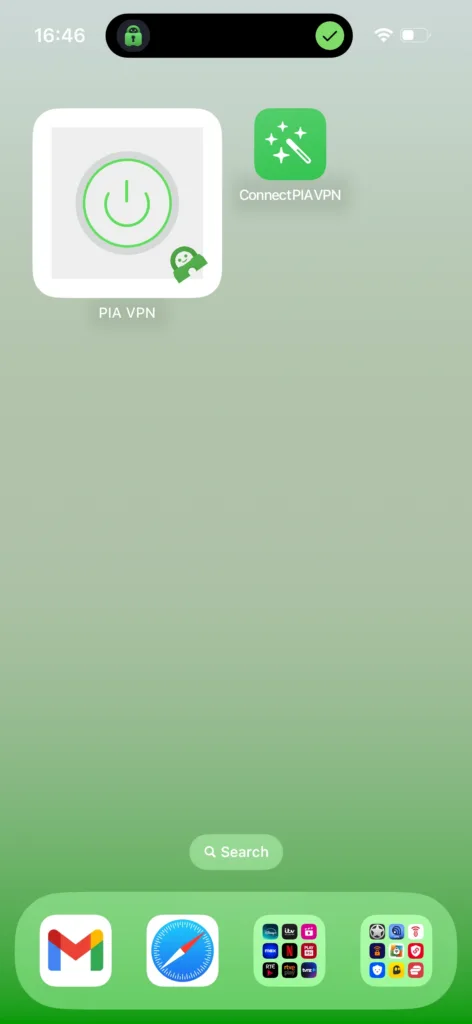
What’s nice is that you can also set up your own shortcut for the home screen if you want to customize the button appearance.
Pressing the shortcut connected us instantly to our most recent VPN server. You can also connect or disconnect using Siri voice commands.
And like NordVPN, the PIA app also mirrors your iPhone light/dark mode settings, which is always a nice touch. However, you can’t do this directly within the app.
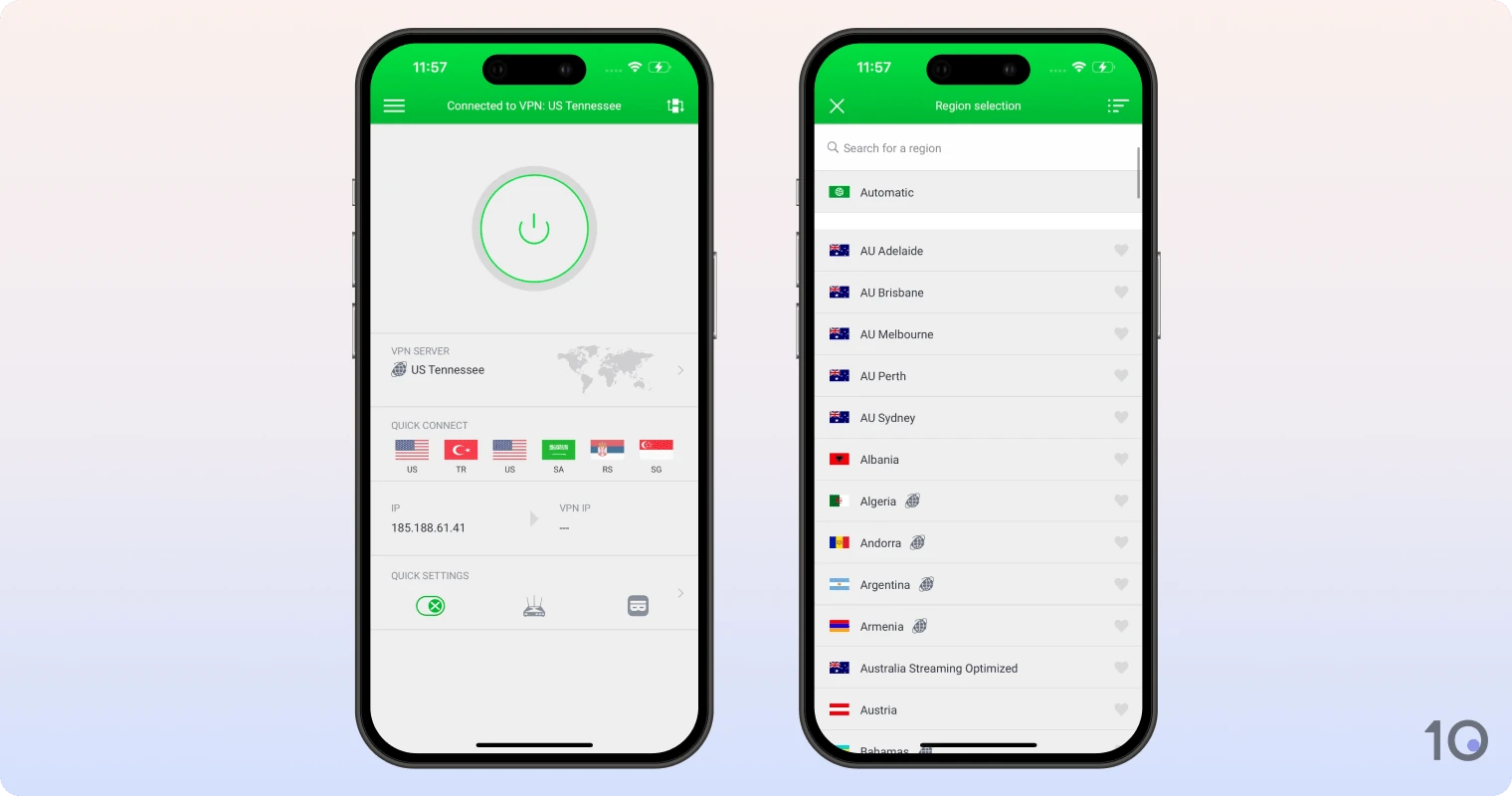
If you’re a new user, you might be also confused by some of the home screen icons. What the ‘Quick Settings’ toggle in the bottom-middle and the synchronization icon in the top-right corner do isn’t immediately clear, for example.
While almost all other iOS VPN apps are limited, PIA’s app includes as much functionality as the desktop clients.
The VPN kill switch is enabled by default, and we love that the app lets you choose the encryption keys, data authentication, and handshake algorithm.
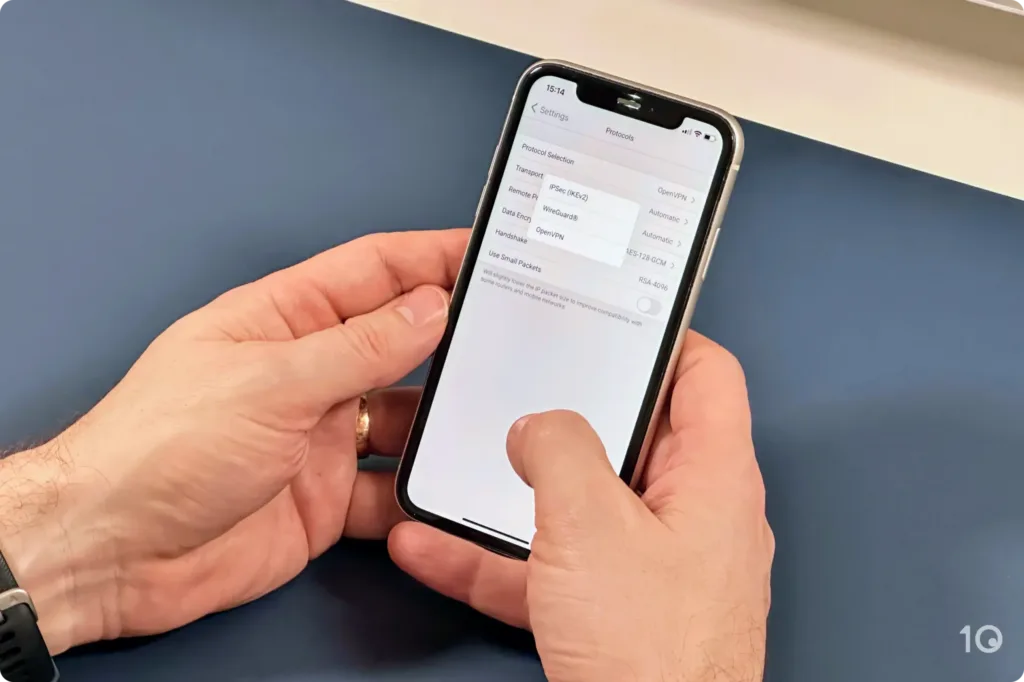
We had fun customizing the iOS app’s home screen. You can display your favorite server locations, connection data, and even how long you have left on your subscription.
Or, you can completely remove all elements besides the button and your VPN server, to mimic ExpressVPN’s app layout.
One extra feature we really liked was the VPN’s MACE ad blocker, which blocked even more ads and trackers than NordVPN’s Threat Protection.
Where Private Internet Access came a bit short was bypassing IP-based geo-restrictions. It’s simply not as reliable for unblocking streaming apps, especially Netflix.
The VPN works with US Netflix, HBO Max, and Hulu, but not on every US server. We had to try several server locations until we found one that works (the Washington DC server worked well for us).
As for Netflix regions, PIA can only access 6, compared to ExpressVPN’s 18 and NordVPN’s 17. Pretty underwhelming, in our opinion.
At least, PIA’s UK London-Streaming server never failed to unblock BBC iPlayer from overseas, which not every VPN can do with this level of consistency.
The Best 100% Free VPNs for iPhone
As we’ve mentioned already, many free VPNs listed in the App Store are too risky to use (and Apple has done very little to fix this serious problem).
And the few secure apps left come with significant limitations, so will most likely frustrate you. That’s why we can only recommend two free VPNs for iPhone right now: Proton VPN and Windscribe.
They’re far from perfect, with meaningful restrictions compared to our subscription-based recommendations, but they will provide a safer, faster and more enjoyable experience than most other free VPNs.
1. Proton VPN: Best Free VPN for iPhone
Overall Windows Rating: 7.1/10
Pros
No payment details required
Unlimited data allowance
Fast speeds on short-distance connections
Supports iOS Shortcuts
No-logs privacy policy
Strong encryption & open-sourced iOS app
Cons
Doesn’t allow you to choose server location
Doesn’t work with any streaming services
IP addresses from only 10 countries
VPN accelerator & NetShield are paywalled on iOS
Only 1 simultaneous connection
| Data Cap |
Unlimited |
|---|---|
| Local Download Speed | 99Mbps (1% loss) |
| Countries with Servers | 10 |
| Servers | 2000 |
| Logging Policy | No Logs |
| Simultaneous Connections | 1 |
| Support | Email & Online Resources Only |
| Compatible with | |
Proton VPN is our top-rated free VPN for iPhone, and it ranks higher than other free VPNs mainly because it has an unlimited usage policy, so you can leave it on all the time.
It’s a user-friendly no-logs app with strong security standards as well as some of the fastest download speeds we’ve seen from a free VPN.
Proton VPN is not for everyone, though, especially content seekers. One of the major downsides is that it won’t unblock streaming apps and it blocks P2P traffic on all free servers.
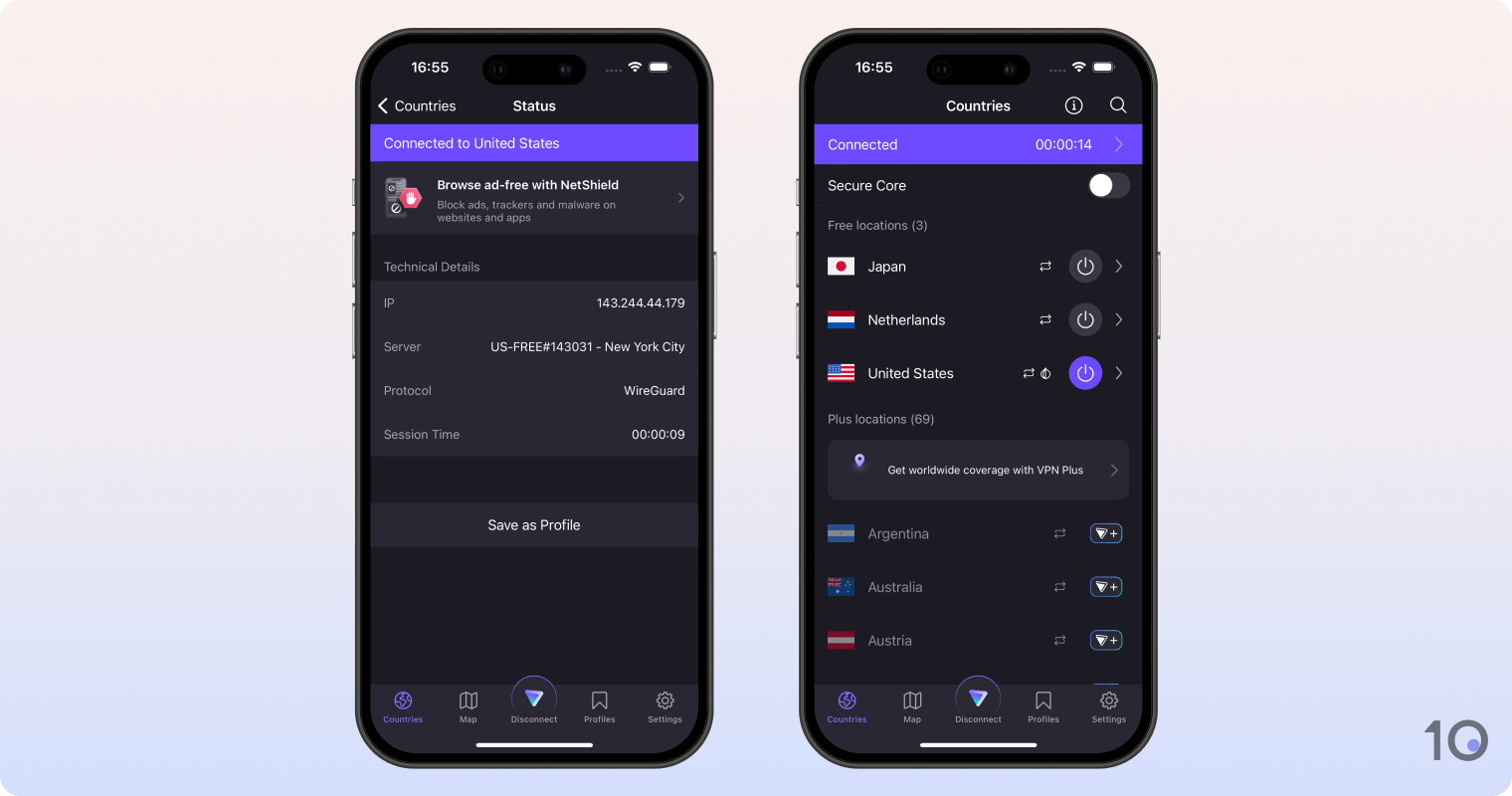
Moreover, Proton VPN doesn’t allow you to choose a server location. Instead, it automatically connects you to the nearest available server.
Proton VPN lets you use as much data as you want for free so you can leave the app running all the time.
You won’t even notice that the VPN is active, either, with our latest speed tests showing only 1% of download speed reduction.
This is an impressive speed measurement for a free VPN, and is one the key advantages Proton VPN has over Windscribe.
Rather than imposing speed and bandwidth caps, Proton VPN instead limits the functionality of its free plan by blocking access to streaming services.
Case in point, the free VPN has never worked with any streaming service we test for, including US Netflix, Disney+, Prime Video, or BBC iPlayer.
All of Proton VPN’s apps, including the free ones, use AES-256 or ChaCha20 encryption to secure your iPhone’s connections, and never log identifiable activity data.
Despite not being as feature-rich as the paid product, the free version still provides excellent protection through settings like ‘Always-on,’ which automatically reestablishes a VPN connection if it drops, and the must-have kill switch.
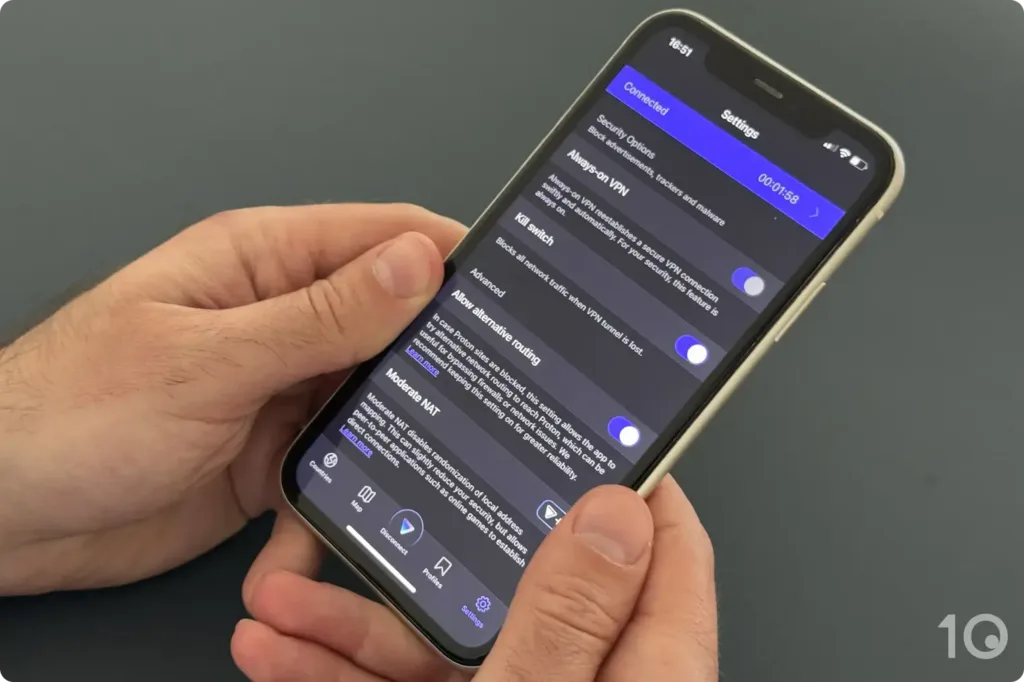
Other advanced features that Proton VPN is known for, such as Secure Core servers and VPN Accelerator, are only available if you upgrade.
Proton VPN was also one of the very first VPNs to open source its applications, which are regularly audited by third-party engineers.
The company has published every audit it has undergone, and has promptly fixed any vulnerability reported, highlighting the company’s ongoing commitment to its values.
While Proton VPN has free servers in 10 locations, the big problem is that you can’t manually choose any of them. The app will simply connect you to the nearest available server.
To access more free server locations, you could work around this limitation by trying Proton VPN risk-free via its 30-day money-back guarantee, which the company will honor in our experience.
Moreover, this inability to manually select specific locations essentially prevents you from unblocking your favorite geo-restricted websites and apps.
Plus, Proton VPN actively blocks P2P connections on every free server.
On the plus side, the VPN’s iOS widgets and Shortcuts allow for easier access on your iPhone. We found the widget particularly useful to connect with one tap directly from our home screen.
2. Windscribe: Great Free VPN for Streaming

Overall Windows Rating: 5.8/10
Pros
100% free to use without subscription
Unblocks UK Netflix, Disney+ & other streaming apps
Servers in 10 countries
Includes Shortcut for iOS
Unlimited simultaneous connections
Cons
10GB monthly data usage limit
Faulty iOS widget
Slower than competitors
Buffering while streaming
Doesn’t work with US Netflix
| Data Cap |
10GB per month |
|---|---|
| Local Download Speed | 91Mbps (9% loss) |
| Countries with Servers | 10 |
| Servers | 10 |
| Logging Policy | No Identifiable Data |
| Simultaneous Connections | Unlimited |
| Support | Email & Online Resources Only |
| Compatible with | |
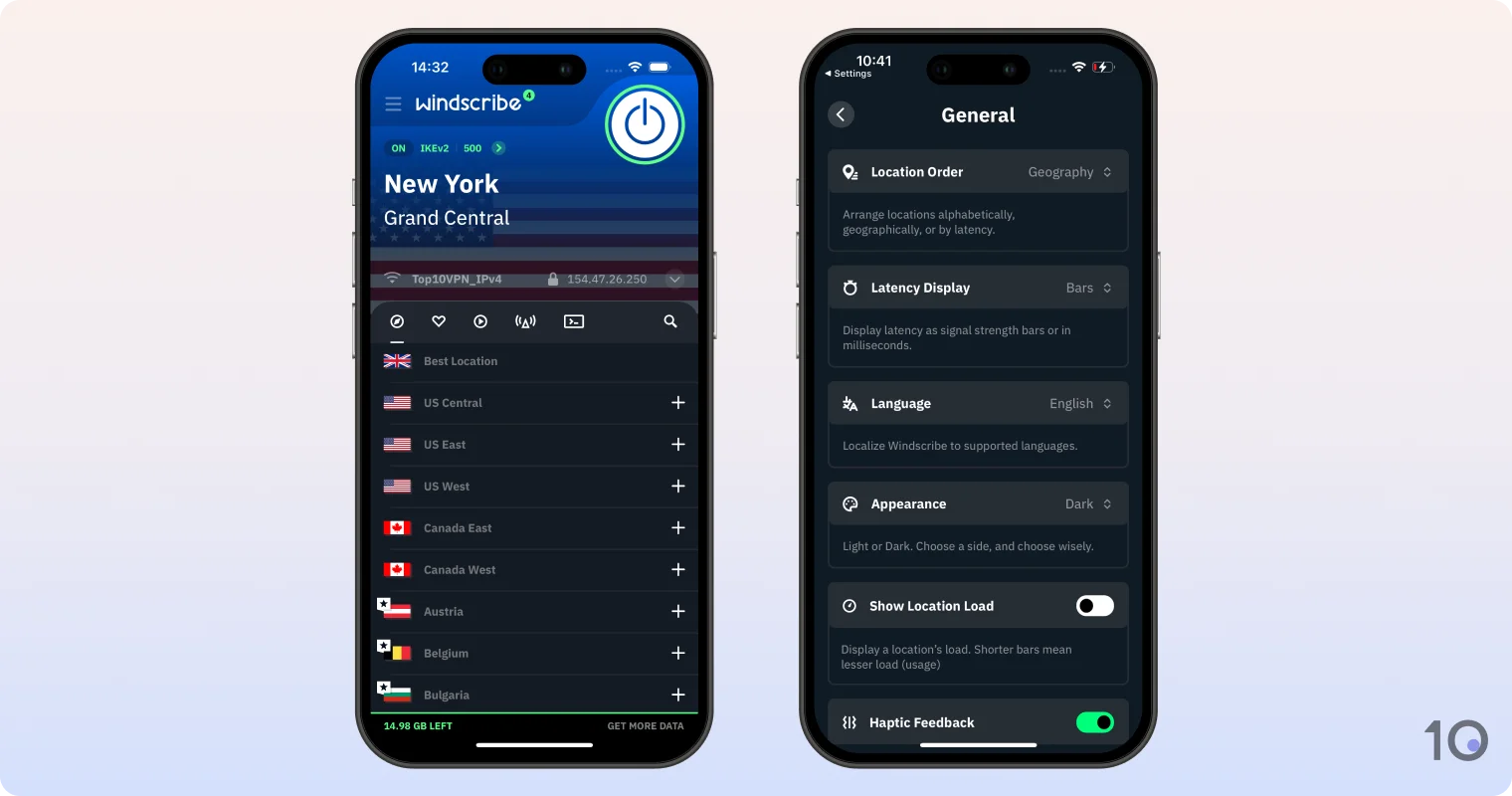
Windscribe is an excellent free VPN for unblocking geo-restricted streaming apps on your iPhone. It works with popular apps like Netflix, BBC iPlayer, Hulu, Prime Video, and many more.
If you want a feature-rich VPN completely free of charge, Windscribe is one of the very best options out there.
That being said, the VPN’s integrations with iOS are buggy and its 10GB monthly data cap is very limiting in our experience, which is why we ultimately prefer Proton VPN.
How to Use a VPN on Your iPhone
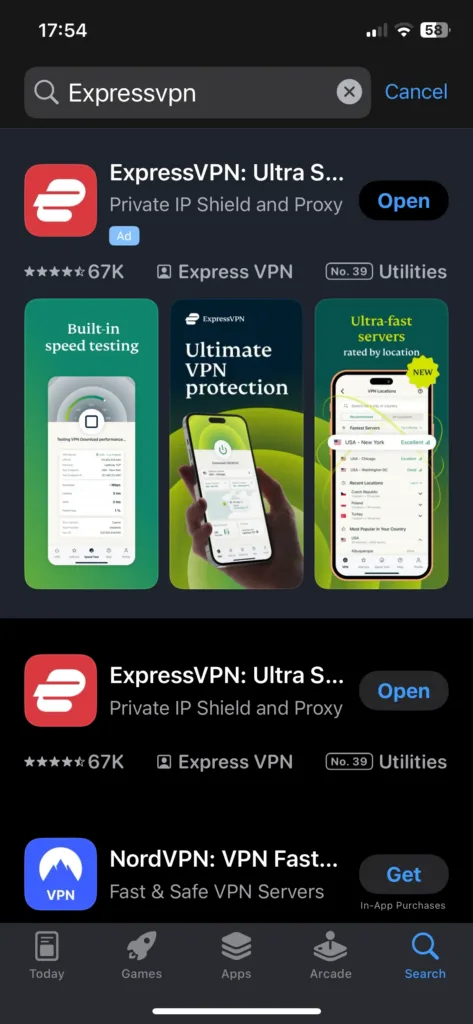
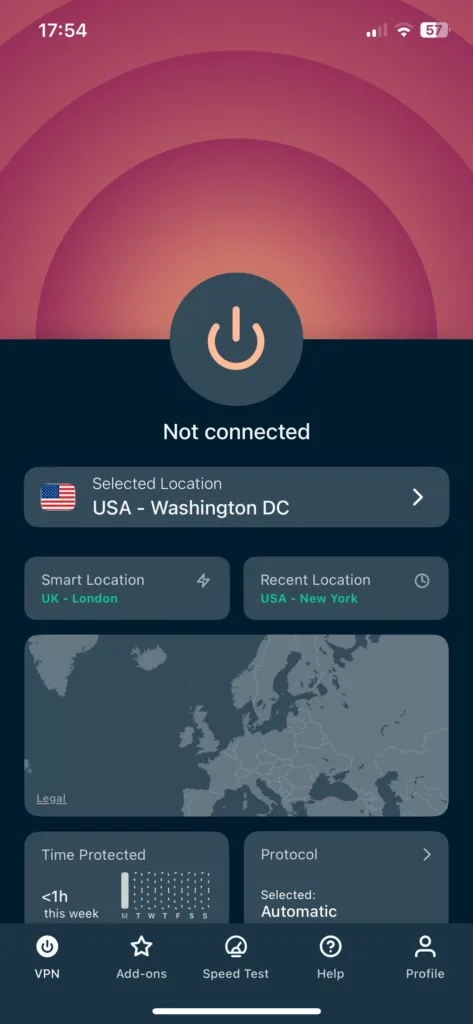
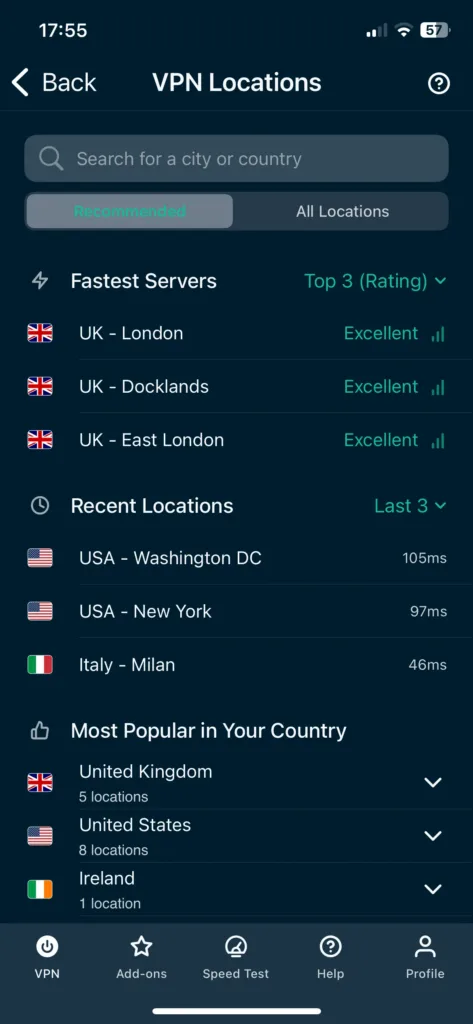
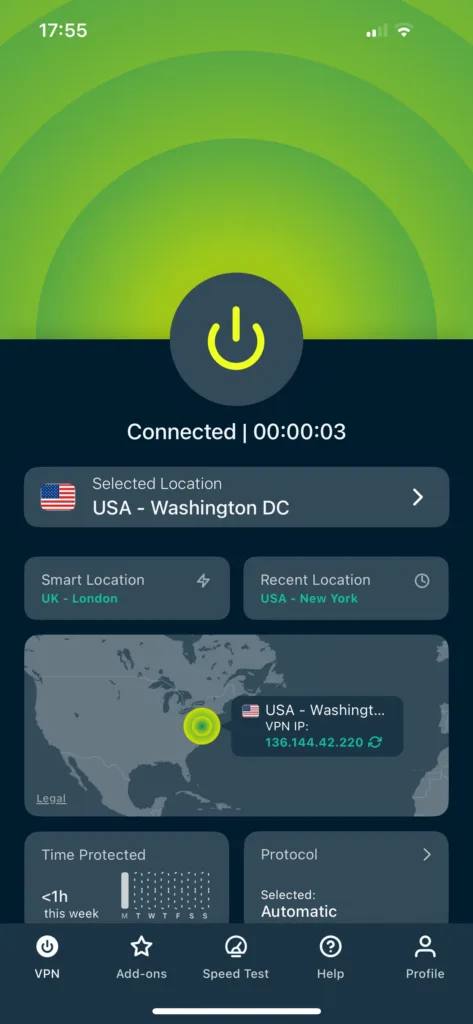
By following the steps below, you will be able to set up and use a VPN on your iPhone in a handful of minutes. We used ExpressVPN as an example but the process is very similar for all well-known VPNs.
Quick Guide: How to Use a VPN on Your iPhone
What iPhone VPNs Can’t Do
An iOS VPN is an excellent tool to enhance your internet security, privacy, and access on your iPhone.
That being said, VPNs come with certain limitations that all iPhone users must know about, particularly the five outlined below:
How to Choose a VPN for iPhone
When searching for a VPN for your iPhone, the first step is to figure out what you’ll use it for. Do you need it to access geo-blocked content, hide your IP address, or protect your data transfers on public WiFi?
We’ve listed below the key factors to consider, however how important each one is will partly depend on your specific needs:
If a VPN app meets the criteria we’ve outlined above, then it’s a solid choice. Price is obviously going to be an important consideration too, but if you can afford paying a little bit more for a better service, it’ll be worth it.
This checklist is based on our extensive methodology for testing and rating iPhone VPNs, which you can read about below.

Copyright © 2026 Vpnads.com. All Rights Reserved. The information we share on this website does not constitute legal or professional advice and should not be treated as such. Reproduction of this site in whole or in part is strictly prohibited.