The Best VPNs for Windows PCs
The Short Answer
The absolute best VPN for Windows PCs is ExpressVPN, scoring a 9.5/10 rating in our tests. Its user-friendly and fully-featured PC app outperformed all other VPNs in most testing categories. If you don’t need to stream or torrent then Proton VPN is the best, safest free VPN.
All of these recommended VPNs are easy to set up and use on Windows, and worked well on our Lenovo T480 and T480s test laptops.
In addition to testing VPNs on Windows 10 and 11, we also assessed any Microsoft Edge browser extension provided by the VPN.
Comparison of the Best Windows VPNs
The table below compares our top-rated Windows VPNs based on download speed, server locations, cheapest price, and more.
 |
 |
 |
 |
 |
|
|---|---|---|---|---|---|
| Review Summary | ExpressVPN summary | NordVPN summary | PIA VPN summary | Proton VPN Free summary | Windscribe Free summary |
| Overall Windows Rating | |||||
| Windows Compatibility | 11, 10, 8, 7, XP | 11, 10, 8, 7 | 11, 10, 8, 7 | 11, 10, 8, 7 | 11, 10, 8, 7, XP |
| Local Download Speed | 98Mbps (2% loss) | 96Mbps (4% loss) | 96Mbps (4% loss) | 99Mbps (1% loss) | 91Mbps (9% loss) |
| Countries with Servers | 109 | 127 | 91 | 10 | 10 |
| US Netflix | Yes | Yes | Yes | No | No |
| Torrenting Policy | Unlimited | Partially | Unlimited | No | Partially |
| Logging Policy | No Identifiable Data | No Identifiable Data | No Logs | No Logs | No Identifiable Data |
| Cheapest Price | $2.79/mo over 28 months | $3.39/mo over 24 months | $2.03/mo over 39 months | Free | Free |
| Official Website | expressvpn.com | nordvpn.com | piavpn.com | protonvpn.com | windscribe.com |
The Overall Best Windows PC VPNs Analyzed
1. ExpressVPN: Best VPN for Windows PCs Overall

Overall Windows Rating: 9.5/10
Pros
 User-friendly Windows app
Fast connection speeds across all distances
Unblocks 18 Netflix regions & many other platforms
Full browser extension for Microsoft Edge
Private logging policy & no data leaks
24/7 live chat support
Cons
 Slightly more expensive than competitors
No multi-hop or other advanced features
| Pricing Plans |
$12.99/mo $3.99/mo over 15 months $2.79/mo over 28 months |
|---|---|
| Logging Policy | No Identifiable Data |
| Countries with Servers | 109 |
| Local Download Speed | 98Mbps (2% loss) |
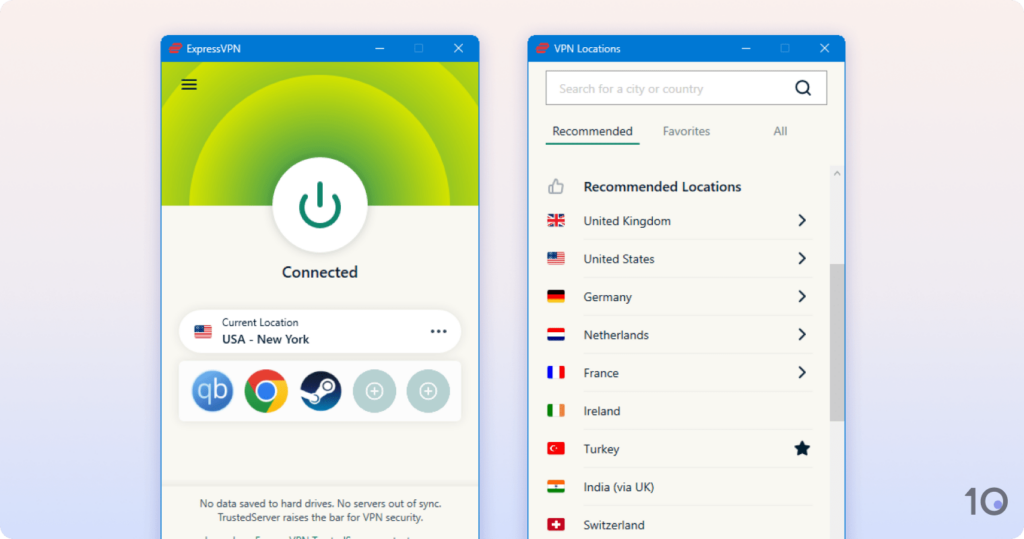
ExpressVPN is one of the easiest VPNs to use on Windows 10 and 11 due to its accessible and well-designed desktop app that only needs one click to connect.
We used it to watch geo-restricted streaming services on our PC, like Netflix and Hulu, in full 4K quality and without any error codes or buffering. We also found ExpressVPN to be an excellent choice for torrenting with a fast download bitrate and trustworthy logging practices.
It’s straightforward to start using ExpressVPN on Windows. You simply need to launch the app and click the power button to connect to a nearby server.
We found this process near-instantaneous and the app changed from red to green to confirm the VPN connection. If you’re unsure about your connection status, ExpressVPN also updates you through your Windows notifications.
In particular, we liked how minimal and simple the app’s user interface is with all of the essential features present on the home screen. This was much more accessible than competing services, like Surfshark and NordVPN, which tend to clutter its app interface with extra features.
ExpressVPN also uses a slick red, green, and white color palette which stood out on our Windows display and made the text within the app easy to read.
ExpressVPN is an excellent choice for unrestricted streaming on Windows. It works to access US Netflix from overseas, as well as 17 other regional Netflix libraries.
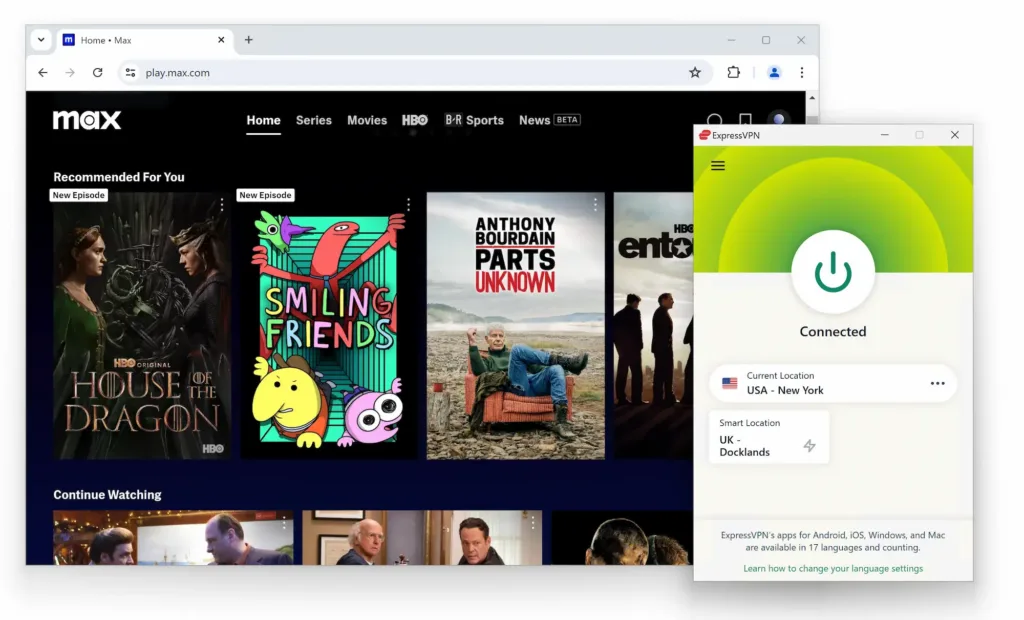
It also unblocks popular content platforms like HBO Max, Hulu, Amazon Prime Video, BBC iPlayer, and more.
In each instance, ExpressVPN almost always assigned us a working server for the streaming service, at the first time of asking. Its fast Lightway protocol also ensured that we streamed in maximum video quality with no buffering whatsoever.
Likewise, ExpressVPN was one of the best performing torrenting VPNs with an average bitrate of 9.8MiB/s. In our personal experience, ExpressVPN worked well with qBittorrent’s Windows client and we never had any issues with stalled or blocked downloads.
ExpressVPN remains one of the fastest VPNs available, due to its proprietary Lightway protocol.
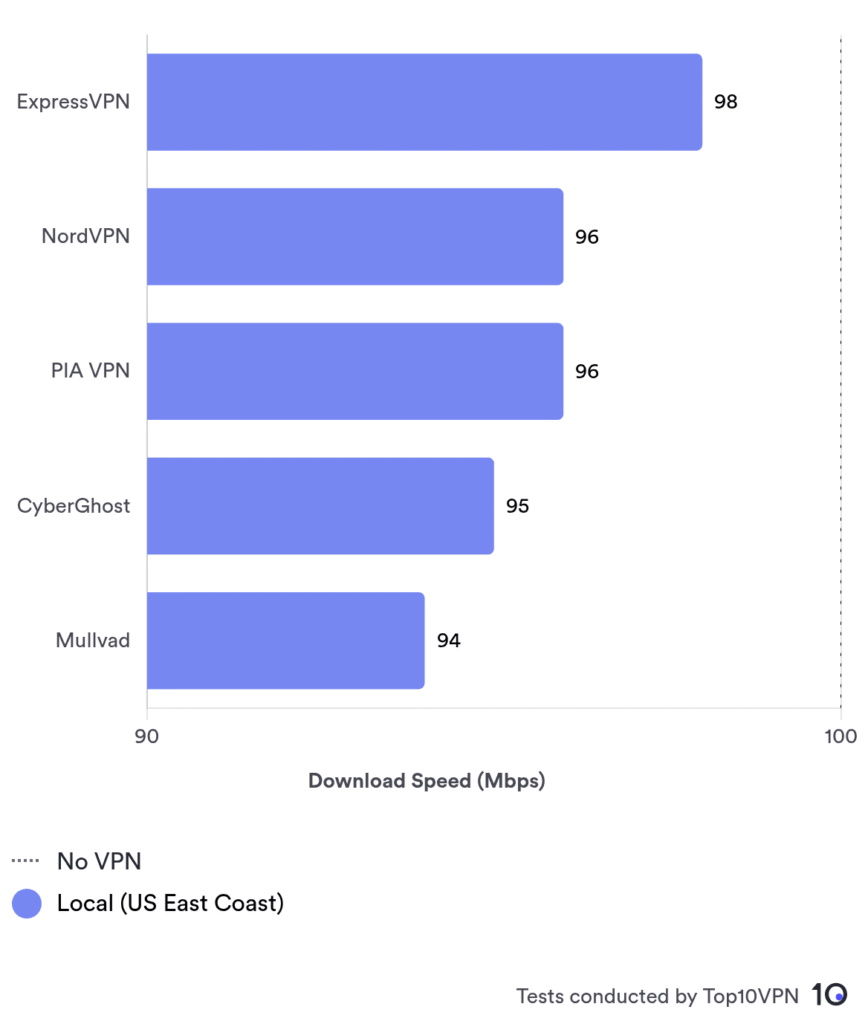
As part of our regular testing, we recorded an average download speed loss of just 2% while connected to a local ExpressVPN server. Regardless of your location, you can expect similar speeds when connecting to a nearby server.
For added context, you can use the chart below to see how ExpressVPN’s local speed performance compares to other leading Windows VPNs:
2. NordVPN: Best Runner-up for Windows PCs

Overall Windows Rating: 9.3/10
Pros
Multiple features exclusive to Windows
Fast internet speeds with NordLynx
Secure VPN servers in 127 countries
Private logging policy
Unblocks US Netflix, Disney+, Hulu, and more
Excellent Microsoft Edge Extension
Cons
App can’t be resized on PC
Considerably higher renewal price
| Pricing Plans |
$12.99/mo $4.99/mo over 12 months $3.39/mo over 24 months |
|---|---|
| Logging Policy | No Identifiable Data |
| Countries with Servers | 127 |
| Local Download Speed | 96Mbps (4% loss) |
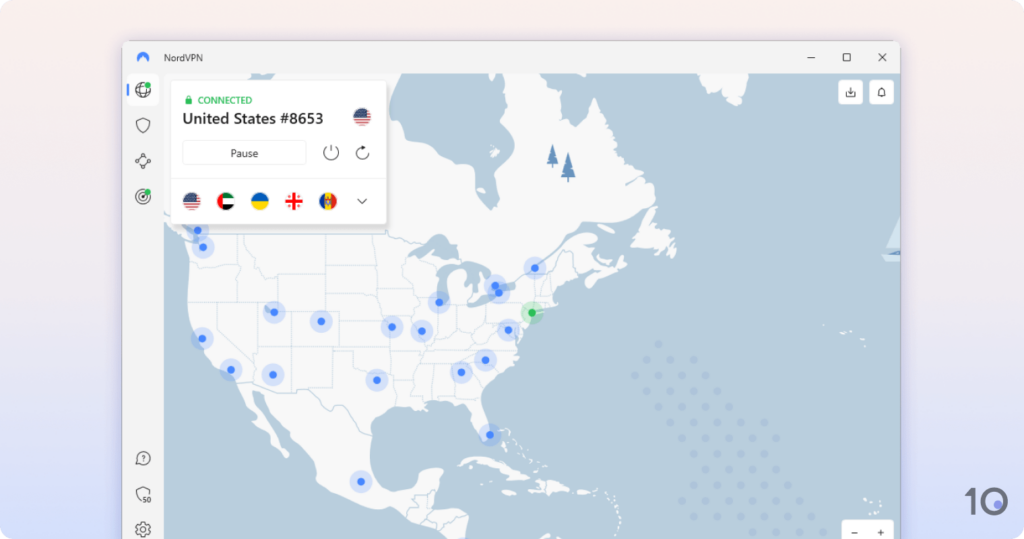
NordVPN’s PC app is highly advanced with more features than most VPNs, like multi-hop and Onion over VPN servers.
It provides IP addresses from 127 countries, second only to HMA, and unblocks almost every streaming service that we test.
NordVPN includes more advanced features than almost every Windows VPN, which allows you to tailor the VPN to your needs.
We’ve listed some of NordVPN’s extra features on Windows below alongside an explanation of how they work:
- Dedicated IP addresses for bypassing IP blocklisting and search engine CAPTCHAs.
- Multi-hop servers for enhanced privacy and protection against cyberattacks.
- Advanced kill switch to block all internet traffic, even when the VPN is disconnected.
- Onion over VPN for increased anonymity while using the Tor browser.
As such, NordVPN is one of the safest and most secure apps for PC. Its VPN kill switch was especially impressive as it allowed us to target specific apps on our Windows to be disconnected.
We were pleasantly surprised by how easy this was to do, you just need to click the cog symbol to open Settings and then select Kill Switch > Add apps.
That said, we felt that the Windows app was too saturated with extra features, like ‘Threat Protection’ taking up one quarter of the home screen. The option to hide these features would be a welcome addition and help streamline the UI.
We used NordVPN to unblock 17 Netflix libraries, including US Netflix, HBO Max, BBC iPlayer, and many more.
NordVPN automatically assigned us a server that always worked with the streaming platform, resulting in the perfect user experience. This is much better than our experience with PrivateVPN which sometimes required us to switch servers before the stream would load.
To demonstrate how easy this is, we’ve showcased how to unblock US Netflix with NordVPN in the video below:

With a speed loss of just 4% on a local server, the stream loaded in HD or 4K quality without fail.
NordVPN offers IP addresses from 127 countries, more than any VPN we’ve reviewed except HMA. For example, it has servers in 15 more countries than IPVanish and 58 more than Windscribe.
This ensures you’ll always have a server close by to connect to, even during periods of peak usage.
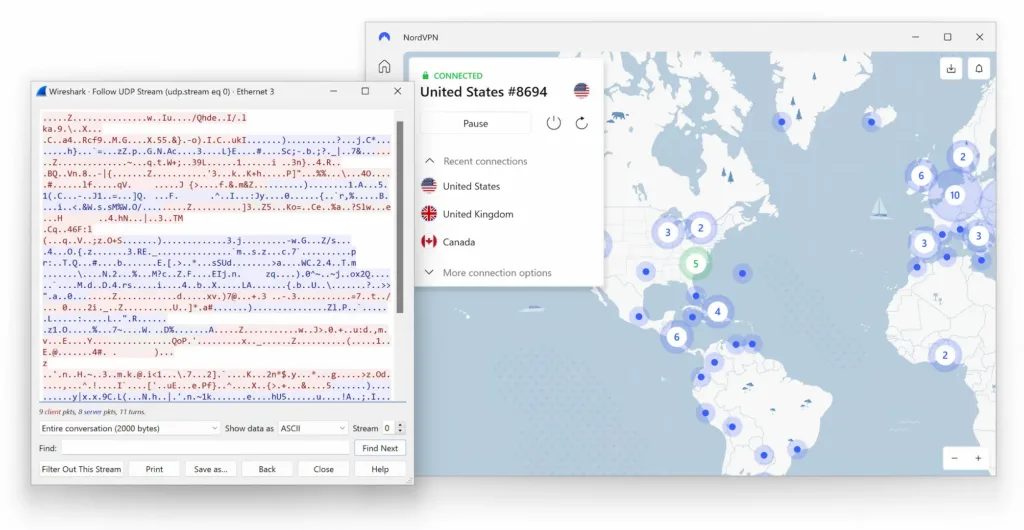
We also tested our connection to NordVPN’s servers by running our Windows traffic through a packet analyzer. Our results indicated that NordVPN successfully encrypted our traffic with AES-256 encryption, backed by first-party DNS servers:
3. PIA VPN: Best Cheap VPN for Windows PCs

Overall Windows Rating: 8.8/10
Pros
18,651 servers across 91 countries
Advanced security & privacy features
Open-sourced Windows app
No-logs VPN backed by audits
Very affordable on long-term plans
Excels at torrenting
Cons
App may be confusing for beginners
Doesn’t unblock as many streaming services as rivals
| Pricing Plans |
$11.99/mo $7.50/mo over 6 months $2.03/mo over 39 months |
|---|---|
| Logging Policy | No Logs |
| Countries with Servers | 91 |
| Local Download Speed | 96Mbps (4% loss) |
Private Internet Access (PIA) is a great choice for more tech savvy Windows users, particularly if you want to torrent anonymously.
It’s also one of the most affordable VPNs available thanks to its reasonably priced two-year plan.
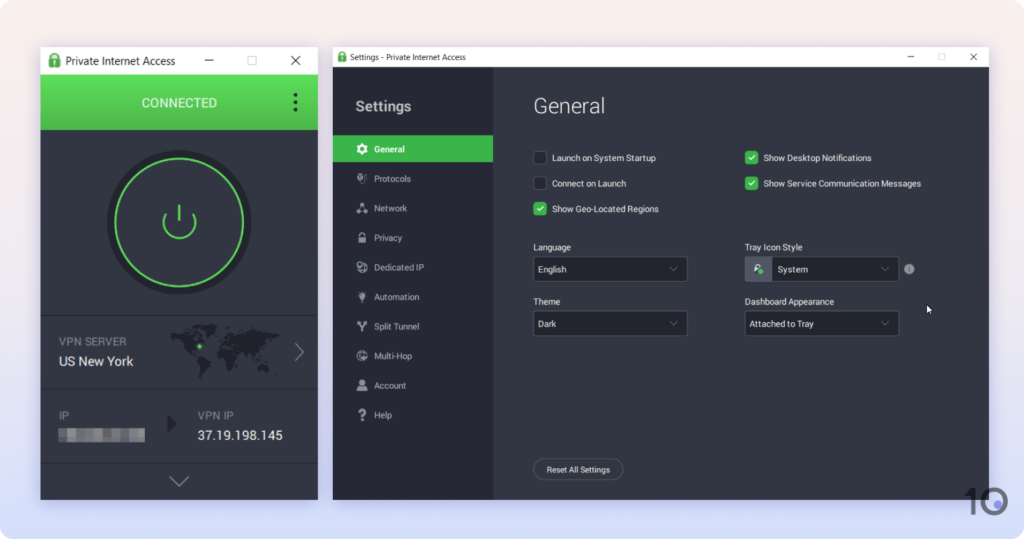
PIA has one of the most technical Windows apps we’ve used and we struggled at times to navigate its menus. We think the app would benefit from copying PrivateVPN’s approach of including a ‘Simple’ and ‘Advanced’ view to simplify its UI, especially for beginners.
That said, we liked that we could customize our VPN encryption beyond just selecting a protocol, with the option of different ciphers. We also loved how easy it was to set up VPN port forwarding: you just need to tick a checkbox within the app’s Network settings.
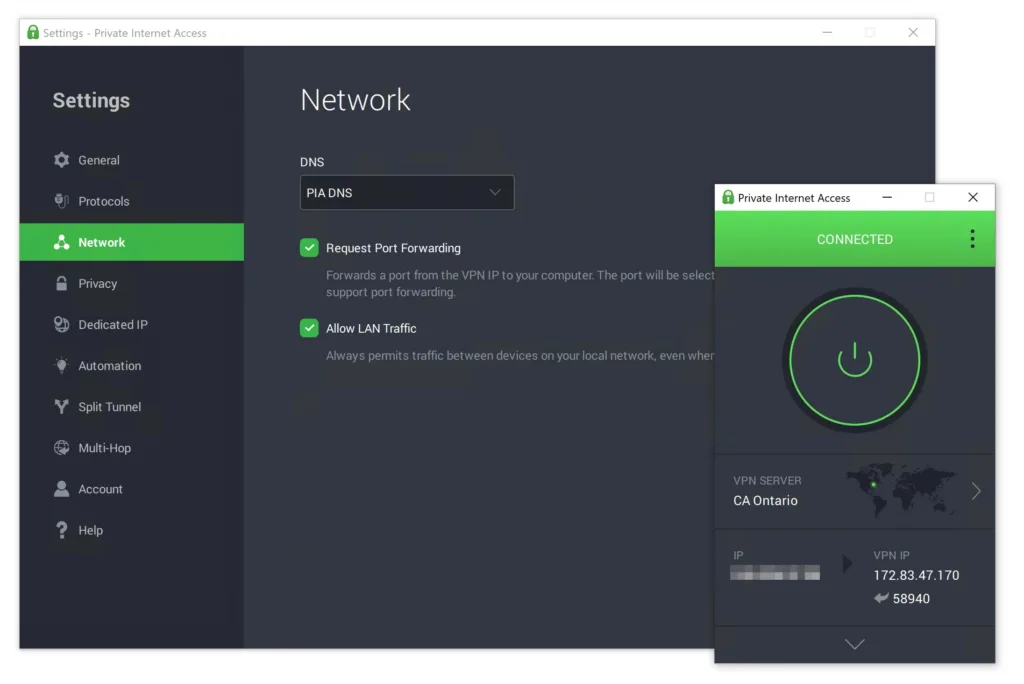
This is far less time-consuming than Windscribe’s setup which requires you to manually enable port forwarding on the VPN service’s website.
PIA’s proven no-logs policy, robust security, and fast download bitrate make it the best VPN for torrenting.
From a baseline of 10.0MiB/s, we recorded an average download bitrate of 9.6MiB/s with PIA. This is exceptional and allows you to download HD movies, e-books, and software in minutes.
For added privacy, PIA also comes with an effective kill switch which has never failed in our testing. As such, your torrents and real IP address will remain anonymous even if your VPN unexpectedly cuts out.
Unlike most VPNs, PIA is a genuinely no-logs VPN service. This means that PIA doesn’t collect any information about you when you use its Windows app.
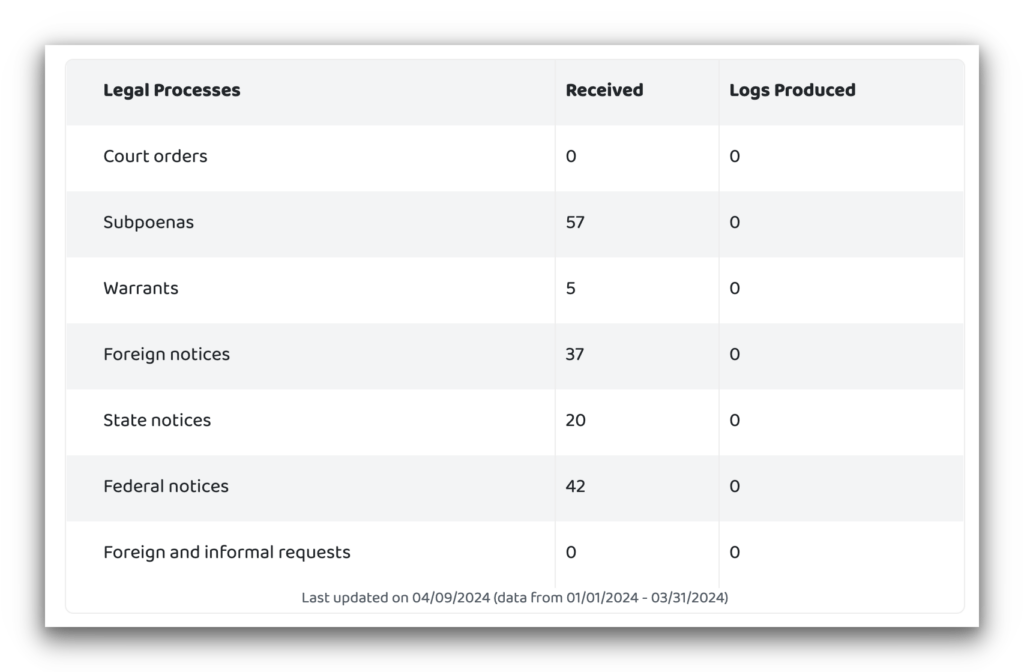
This has been proven by real-world court cases as well as PIA’s quarterly transparency report.
PIA also uses diskless VPN servers which automatically delete your data on a regular basis. This makes it virtually impossible for anyone to view your browsing activity or connection logs.
As with all the VPNs on this list, PIA uses industry-standard WireGuard and OpenVPN protocols. These protocols are open-sourced and can be trusted to keep your traffic secure.
The Best Free Windows PC VPNs Analyzed
1. Proton VPN: Best Free VPN for Windows PCs
Overall Windows Rating: 7.0/10
Pros
100% free with no card details required
Unlimited data allowance
Open-sourced Windows app
Private logging policy proven by audits
Excellent connection speeds
Cons
Doesn’t allow torrenting on free servers
Can’t unblock streaming services
Doesn’t let you choose your server location
Only one simultaneous connection
Worst app design than rivals
| Data Cap | Unlimited |
|---|---|
| Logging Policy | No Logs |
| Countries with Servers | 10 |
| Local Download Speed | 99Mbps (1% loss) |
| Support | Email & Online Resources Only |
Proton VPN is the only free Windows VPN that doesn’t cap your data, subject you to ads, or compromise your online anonymity in any way.
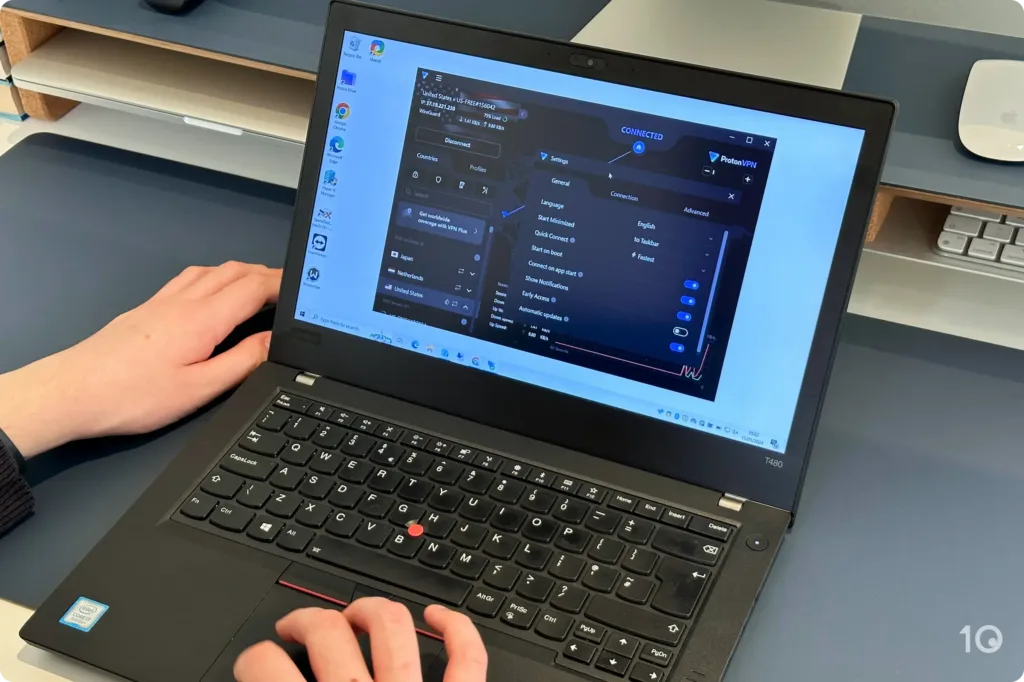
It’s fast, secure, and private but we found its desktop app quite cluttered and in need of a redesign. Plus, its free tier comes with several downsides: you can’t choose your own server location, torrenting traffic is blocked, and it doesn’t unblock streaming sites.
You can use Proton VPN for free on your PC with no payment details needed. It also doesn’t sell your data to third-parties or use in-app ads to monetise your usage, like SkyVPN and VPN Proxy Master do.
Another way Proton VPN stands out from most free VPNs is its unlimited data. This is unlike Windscribe which caps you at 10GB monthly, TunnelBear at 2GB, or Betternet at 500MB.
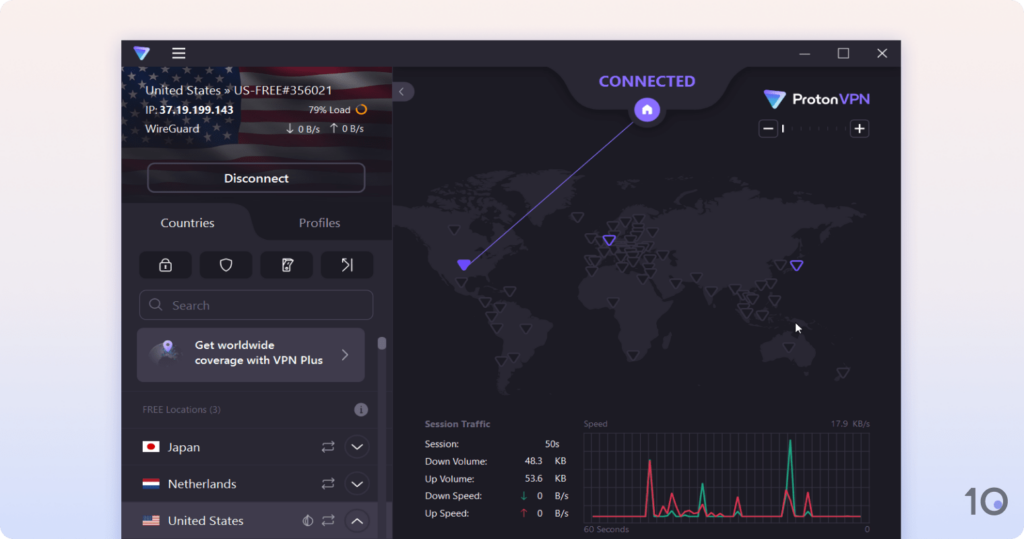
Proton VPN uses a map interface for its PC app, like IPVanish. We found this slightly distracting and were pleased to learn that you can hide it by resizing the app.
We’d like to see Proton VPN streamline its Windows app further by removing pointless graphics like the download speed graph and ‘Session Traffic’ statistics.
It’s simple to start using the VPN, just click the Connect button, and Proton VPN even provides an optional tour of the app upon your first start-up.
As is the case with most free VPNs, Proton VPN imposes several restrictions to encourage users to upgrade to its premium service.
On its Windows app, you are limited to 2,000 servers covering 10 countries, including the US, Canada, Japan, Netherlands, and Romania.
But what’s really limiting is that you can’t manually select a specific server location, as the free app will only connect you to the fastest available server.
As such, we were unable to bypass any geo-restricted streaming services with Proton VPN’s free servers, as it was just as likely to connect us to the Netherlands or Romania, as to the US or Canada.
Proton VPN also blocks P2P traffic on its free servers, so torrenting won’t work either.
2. Windscribe: 100% Free VPN for Streaming on PC

Overall Windows Rating: 6.5/10
Pros
User-friendly Windows app
No payment details required
Unblocks UK Netflix & other streaming services
Fast speeds
Cons
No human live chat available
No multi-hop or other advanced features
Device limit for WireGuard connections
Servers in just 10 countries
Windows app can’t be resized
| Data Cap | 10GB per month |
|---|---|
| Logging Policy | No Identifiable Data |
| Local Download Speed | 91Mbps (9% loss) |
| Countries with Servers | 10 |
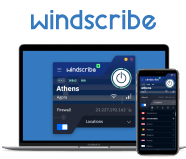
Windscribe Free is an excellent streaming VPN and one of the highest-rated free VPNs we’ve tested.
You can use Windscribe Free to stream Amazon Prime Video, Max, BBC iPlayer, and more on your PC or laptop.
However, you are limited to 10GB monthly data and only 10 server locations to choose from.
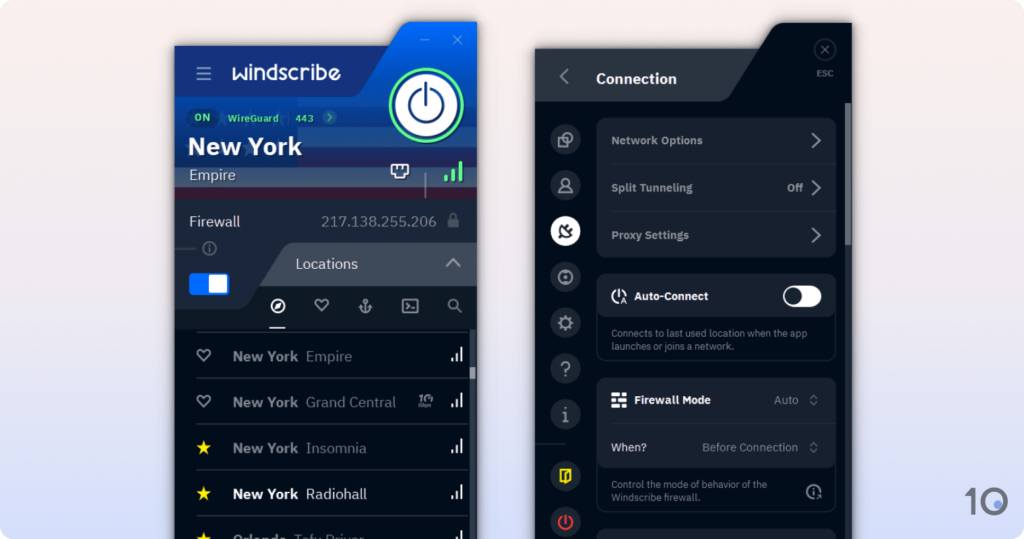
You just need to click the power button to start your VPN connection and you can activate the kill switch by toggling the widget – there’s no need to go into the settings.
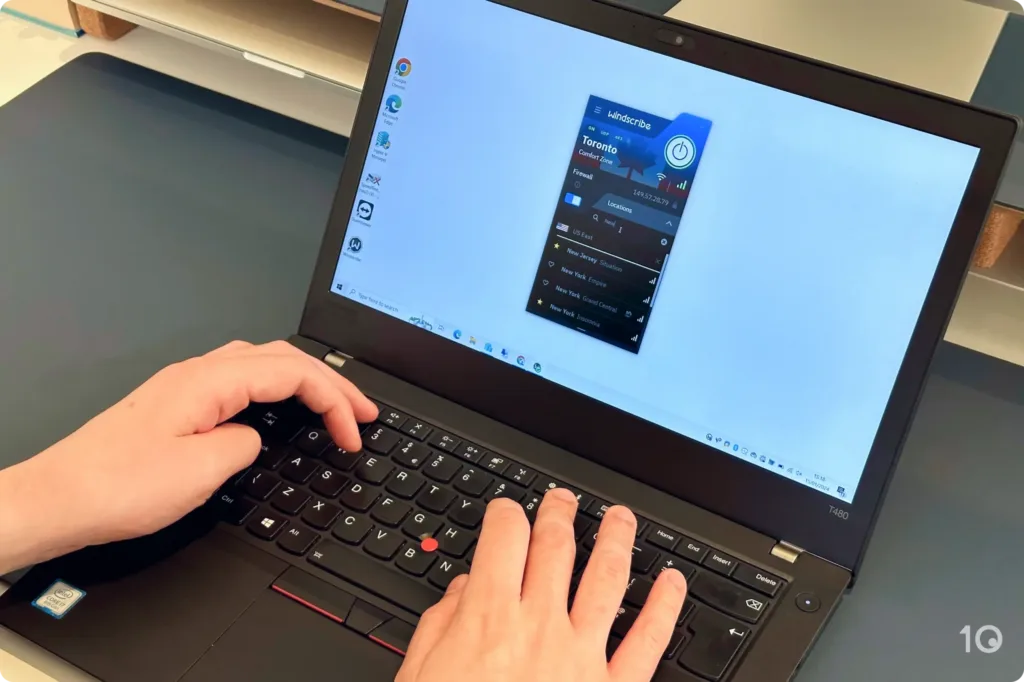
We also liked that you can toggle between a windowed or system tray app, though we prefer the latter.
However, we found it difficult to read some of the in-app text and UI elements, especially the tool tips. We’d like to be able to resize the Windows app to mitigate this issue.
Windscribe is very lightweight on desktop, consuming 32MB of RAM on average. This is the lowest of any VPN we tested and ensures your PC runs at optimal performance.
Windscribe also accommodates the default Windows browser, Microsoft Edge, with custom VPN extensions. Like the VPN app, it’s free to use and offers up to 11 different locations to connect to.
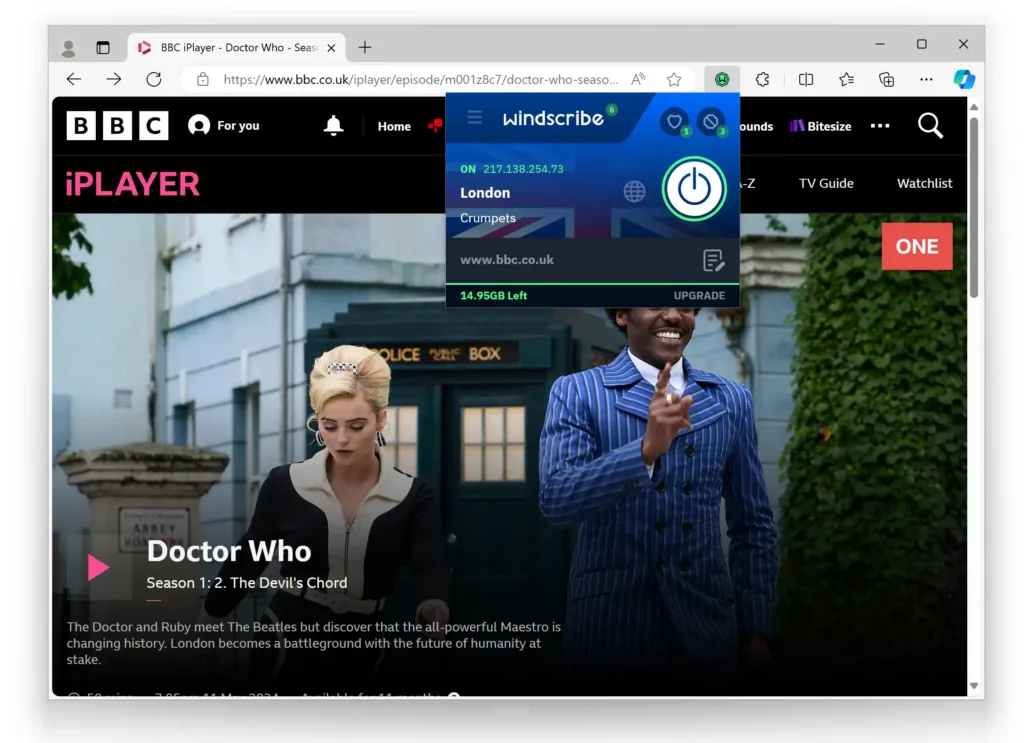
Most VPNs don’t provide a Microsoft Edge extension, and even less make it completely free like Windscribe.
Unlike most free VPNs, Windscribe Free unblocks multiple Netflix libraries, HBO Max, Hulu, and BBC iPlayer.
We used Windscribe’s free UK server to unblock its Netflix library in 4K quality. The stream loaded almost immediately and we rarely had to change VPN servers to get the service to work.
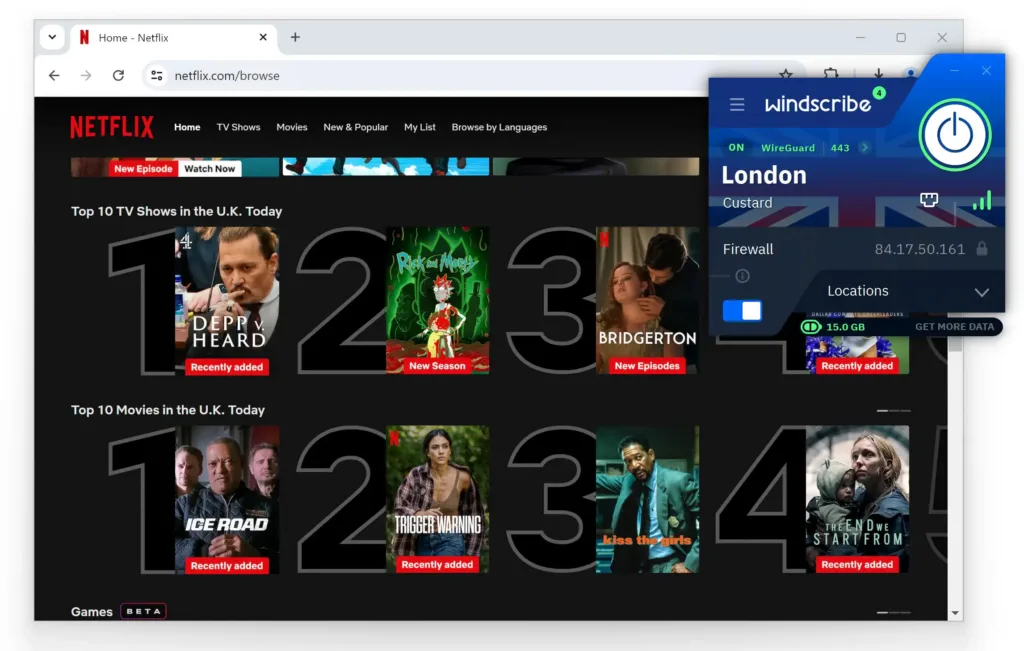
We did notice buffering on occasion, especially when streaming live content. We found this quite frustrating, particularly after multiple hours of testing.
It’s also worth taking Windscirbe’s monthly 10GB data cap into consideration. While this may be enough for everyday browsing, it limits you to around 90 minutes of 4K Netflix streaming on desktop.
Popular Windows VPNs We Also Considered
To compile our recommendations for Windows, we tested 65 VPNs and found that many of them simply weren’t good enough.
Many of these services performed well in other testing criteria but fell short of qualifying as a top-rated Windows VPN.
You can see a selection of well-known VPNs that failed to meet our requirements in the table below:
VPN Service
Reason for Exclusion
CyberGhost
❌Inconsistent connection speeds
Slow average bitrate
PureVPN
❌Fails to unblock most streaming services
Faulty kill switch
Regularly fails to connect
Mullvad
❌Fails to unblock most streaming services
Less server locations than rivals
TunnelBear
❌Canadian jurisdiction
Doesn’t work with Amazon Prime Video or Hulu
Slow average bitrate
Less server locations than rivals
Risky Free VPNs to Avoid
Aside from a few exceptions, most free VPNs are unsafe and should not be used.
To compensate for the lack of subscriptions, free VPNs may sell your user data to third-parties, allow ads within the app, or infect your PC with malware.
Free VPNs also often lack the security features and infrastructure of paid services due to their lack of investment.
Below are some popular free Windows VPNs that are too dangerous to use:
VPN Service
Reason for Exclusion
Turbo VPN
❌Paywalls kill switch
Ownership ties to China
Blocks torrenting
Only 3 server locations on Windows
Throttles internet connection
Avira Phantom VPN
❌Logs your real IP address
Paywalls kill switch
Fails to unblock most streaming services
Fails to unblock most streaming services
Free tier only has one server location on PC
Touch VPN
❌Logs identifying data
Unlimited daily data cap
Fails to connect on Windows
Fails to unblock any streaming services
Blocks torrenting

Copyright © 2026 Vpnads.com. All Rights Reserved. The information we share on this website does not constitute legal or professional advice and should not be treated as such. Reproduction of this site in whole or in part is strictly prohibited.